
How to Track Guest Post Performance
Once you start publishing guest posts, the next crucial step is to track how well they’re performing. Tracking performance helps you understand which...

Once you start publishing guest posts, the next crucial step is to track how well they’re performing. Tracking performance helps you understand which strategies work, where you need improvement, and how to increase the traffic, leads, or revenue generated from your guest posts. In this guide, we’ll cover the tools, methods, and key metrics to help Level 2 students track guest post performance like a pro.
Why Tracking Guest Posts is Important
Many beginners make the mistake of publishing posts and forgetting about them. Without tracking, you won’t know:
Which posts are driving traffic to your website
Which guest posts are generating leads or sales
Which websites provide the highest ROI for your guest posting efforts
How to improve future guest posts for better results
Tracking your guest posts ensures you invest time and money wisely, focusing on opportunities that bring real results.
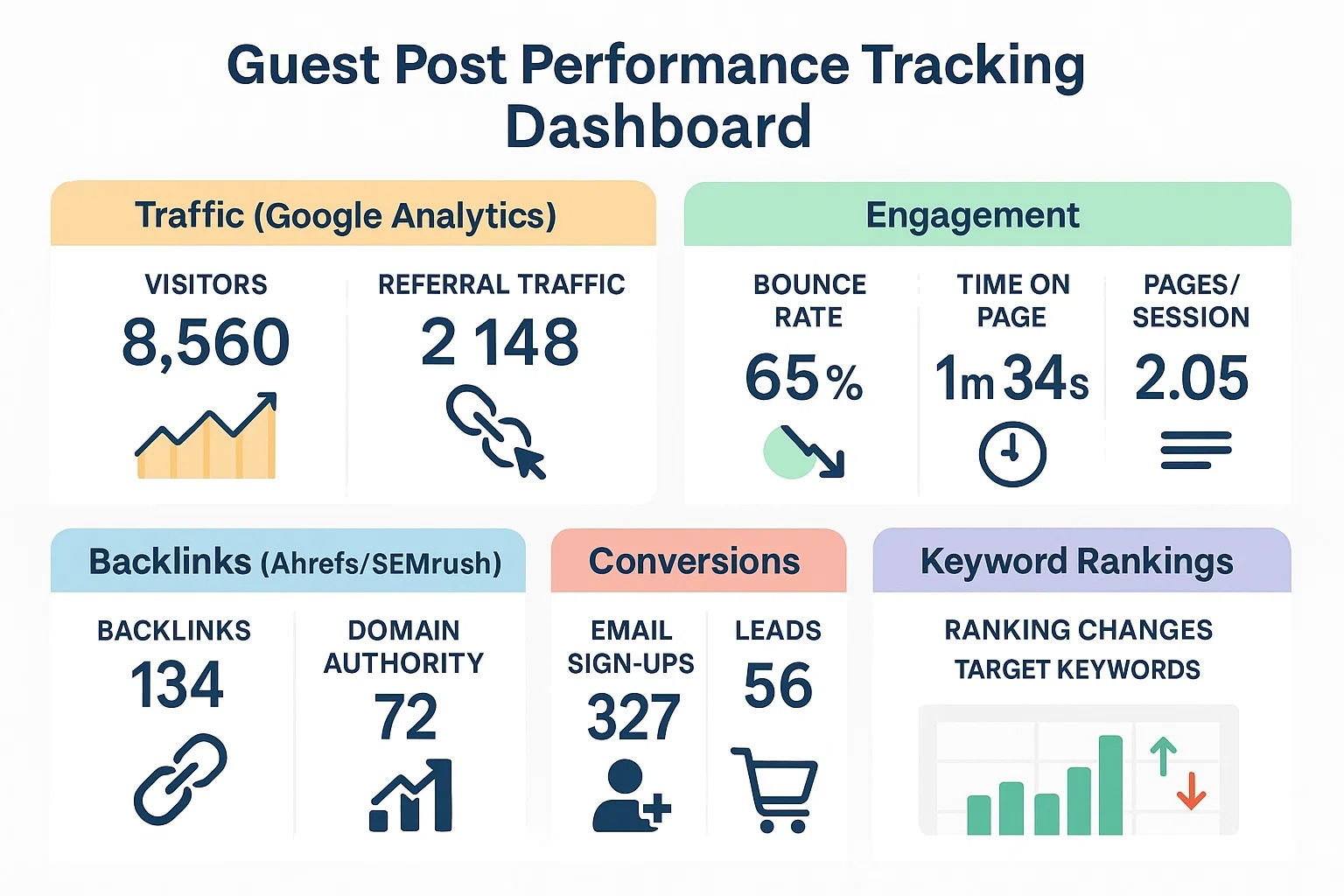
Key Metrics to Track
Before diving into tools, it’s important to know what to measure. Here are the main metrics for guest posts:
Traffic Generated
Track the number of visitors coming from each guest post.
Helps identify which posts or websites are bringing the most audience.
Engagement
Monitor bounce rates, time spent on page, and pages visited.
High engagement indicates the content resonates with readers.
Backlinks & Domain Authority
Check if the guest post links to your website correctly.
High-authority backlinks improve SEO and search rankings.
Conversions
Measure leads, email sign-ups, or sales generated from the guest post.
Shows the direct value of each guest post.
Search Engine Rankings
Track if your guest post helps rank your website for targeted keywords.
Tools to Track Guest Post Performance
1. Google Analytics
Google Analytics is the most common and powerful tool for tracking website performance.
How to Use Google Analytics for Guest Posts:
Set up UTM parameters:
Add tracking codes to your guest post URLs to monitor which post sends traffic.
Example: www.yoursite.com/?utm_source=guestpost&utm_medium=blog&utm_campaign=exampleCheck Referral Traffic:
Navigate to Acquisition → All Traffic → Referrals to see which guest post websites are sending visitors.Analyze Conversions:
Use Goals to track actions like email sign-ups or sales from guest posts.
Pro Tip: Always use UTMs for every guest post. This ensures you can directly measure the ROI of each post.
2. Google Search Console (GSC)
Google Search Console helps track how your site performs in search results.
How to Use GSC for Guest Posts:
Check keyword ranking improvements:
See if your guest posts help your website rank for specific keywords.Monitor backlinks:
GSC shows which external sites link to you.Identify issues:
Detect errors in indexing or problems with guest post links.
Pro Tip: If a guest post drives new backlinks, GSC is your go-to tool for confirmation.
3. Matomo
Matomo is a privacy-focused analytics alternative to Google Analytics. It’s useful if you want more control over data and avoid relying entirely on Google.
Benefits of Matomo for Guest Posts:
Tracks referral traffic and conversions.
Provides heatmaps to see how visitors interact with your site.
Gives detailed insights into user behavior and engagement metrics.
Pro Tip: Combine Matomo with Google Analytics for comprehensive tracking.
4. Other Useful Tools
Ahrefs / SEMrush: Monitor backlinks, referral traffic, and keyword improvements from guest posts.
Ubersuggest: Check if guest posts increase search visibility.
Bitly or TinyURL: Shorten guest post URLs and track clicks easily.
Step-by-Step Guest Post Tracking Process
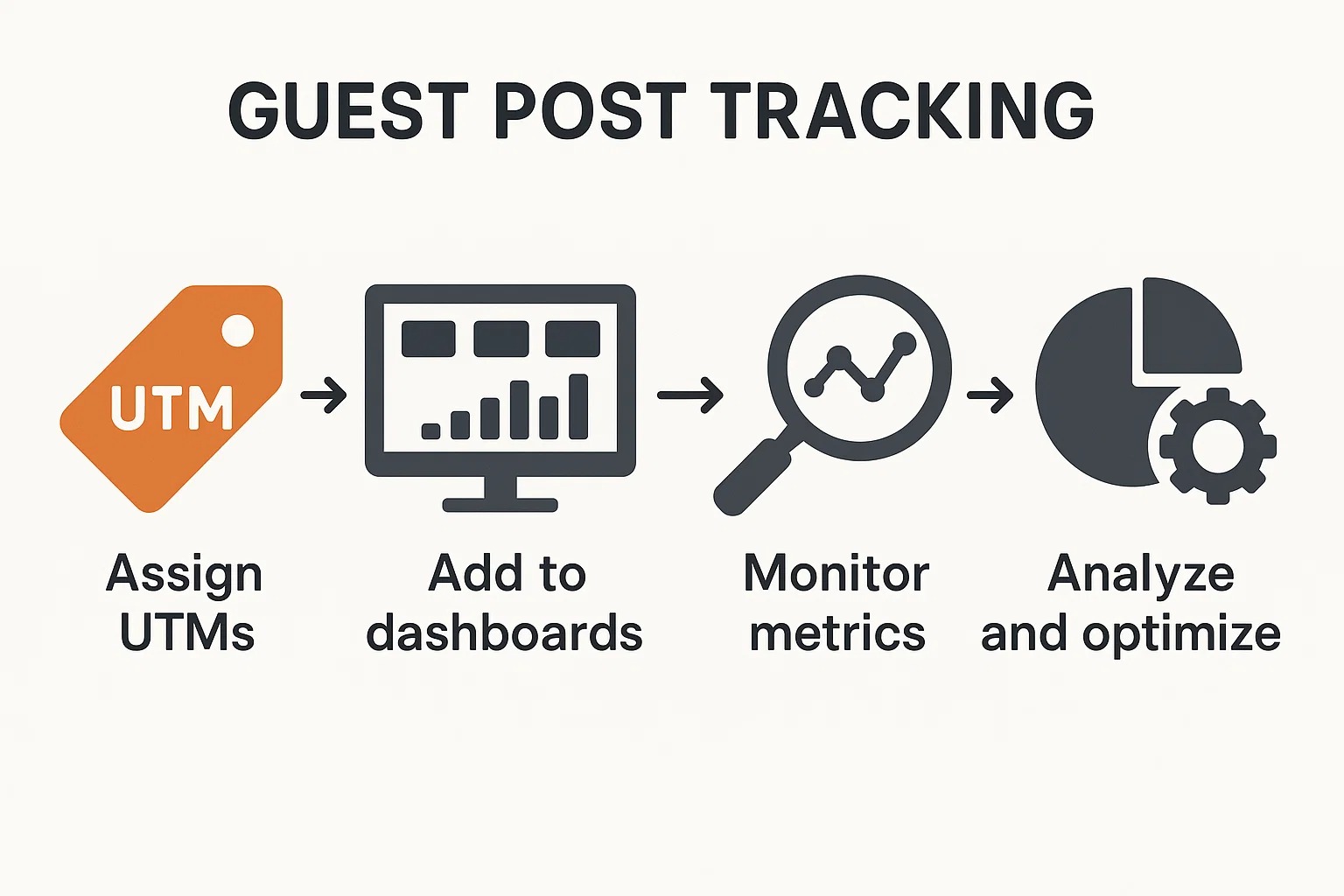
Before Publishing:
Assign UTMs to the post URL.
Decide which metrics you’ll track (traffic, conversions, backlinks, engagement).
After Publishing:
Add the guest post link to Google Analytics and Matomo dashboards.
Use tools like Ahrefs or SEMrush to monitor backlinks.
Monitor Weekly / Monthly:
Check which posts drive traffic and engagement.
Compare metrics across different websites to see which platforms perform best.
Analyze & Optimize:
Identify successful guest posts and replicate the strategies.
Identify low-performing posts and improve content, links, or outreach for better results.
Tips for Beginners
Track Everything: Every post, every link, every keyword matters.
Focus on Quality: High-quality guest posts often bring more traffic than dozens of low-quality posts.
Use Simple Dashboards: Don’t get overwhelmed. Start with Google Analytics referral reports and UTMs.
Set Monthly Goals: Example: “I want 100 new visitors per month from guest posts.” Goals help measure success.
Conclusion
Tracking guest post performance is critical for growth. Without tracking, you’re guessing, and guessing doesn’t scale. By using tools like Google Analytics, GSC, and Matomo, and monitoring key metrics like traffic, engagement, backlinks, and conversions, you’ll know which strategies work.
Once you get the hang of tracking, you can focus on guest posts that truly benefit your website, optimize underperforming content, and ultimately increase your reach, influence, and earnings from guest posting.