
Track Your Blog Like a Pro: Google Analytics, GSC & Matomo Made Simple
Tracking and understanding how your blog performs is crucial for growth, especially when you're just starting out. As a beginner, you may feel overwhelmed by...
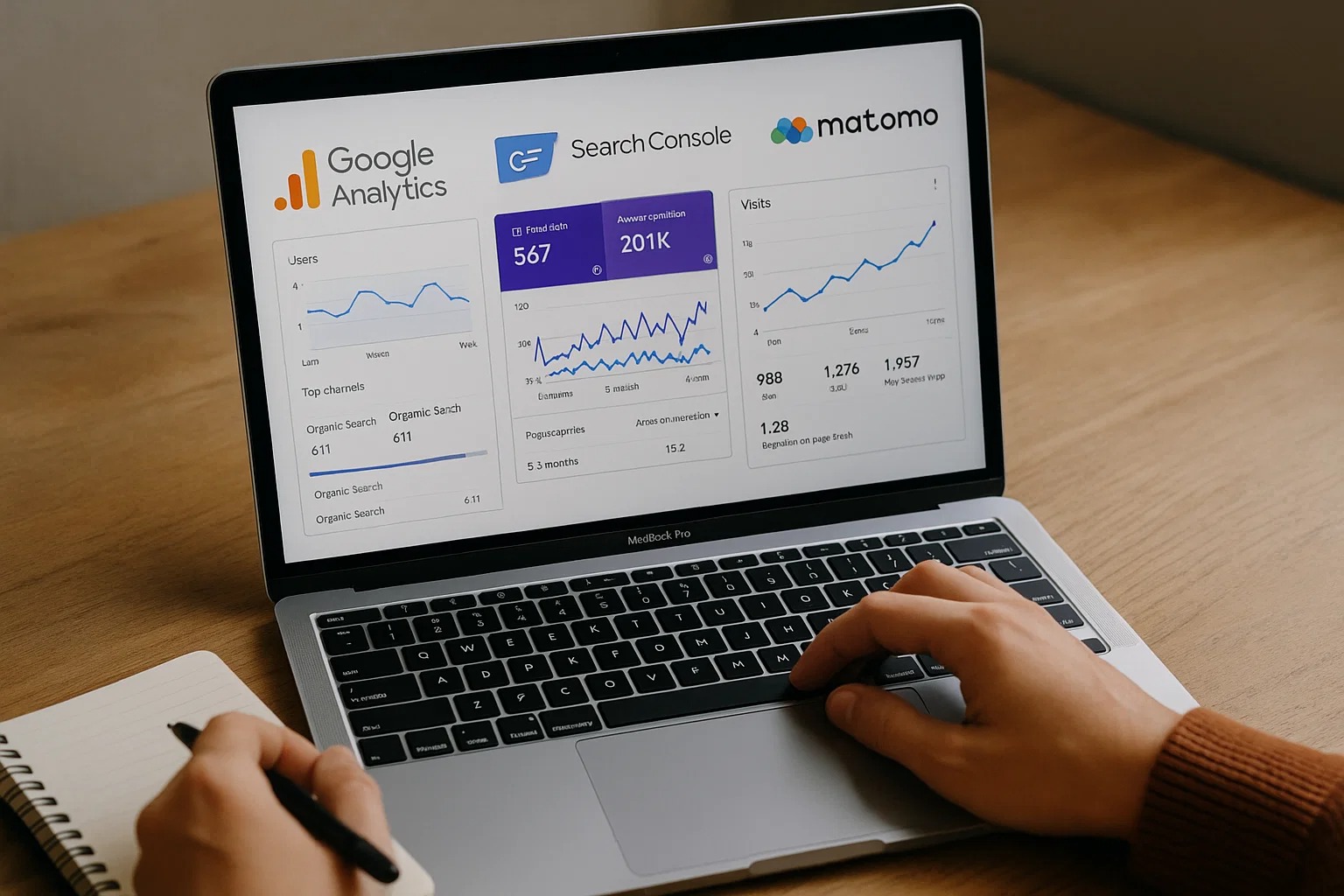
Tracking and understanding how your blog performs is crucial for growth, especially when you're just starting. As a beginner, you may feel overwhelmed by the technical aspects of blog analytics, but don't worry! In this guide, we will walk you through the basics of three powerful tools: Google Analytics, Google Search Console (GSC), and Matomo, and explain how you can use them to track and improve your blog's performance like a pro.
Why Tracking Your Blog is Important
Before diving into the tools, let's first understand why tracking your blog is essential. Monitoring your blog's performance allows you to:
Measure Success: See how well your blog is doing in terms of traffic, user engagement, and goals like conversions or sign-ups.
Make Data-Driven Decisions: Use real data to decide what content to create, what keywords to target, and how to improve user experience.
Improve SEO: By tracking how visitors find your content, you can optimize your blog for search engines and improve its ranking.
Monitor Growth: With tracking, you can see if your efforts are paying off and identify areas that need improvement.
Now, let’s break down the three tools you'll be using to track your blog’s performance.
Google Analytics - Understanding Your Visitors
Google Analytics (GA) is one of the most powerful tools available for tracking your blog's performance. It helps you understand how visitors interact with your site and gives you valuable insights into your audience.
Setting Up Google Analytics
To get started with Google Analytics, follow these steps:
Sign Up for Google Analytics: Go to the Google Analytics website and sign up for an account.
Add Your Website: Once you’ve signed up, add your blog’s website URL to Google Analytics.
Install the Tracking Code: Google will give you a tracking code that you need to add to your blog’s HTML. This will allow Google Analytics to track visitors on your blog.
Verify Your Setup: After installing the code, verify that it’s working by checking your real-time data to see if visitors are being tracked.
Key Metrics to Track in Google Analytics
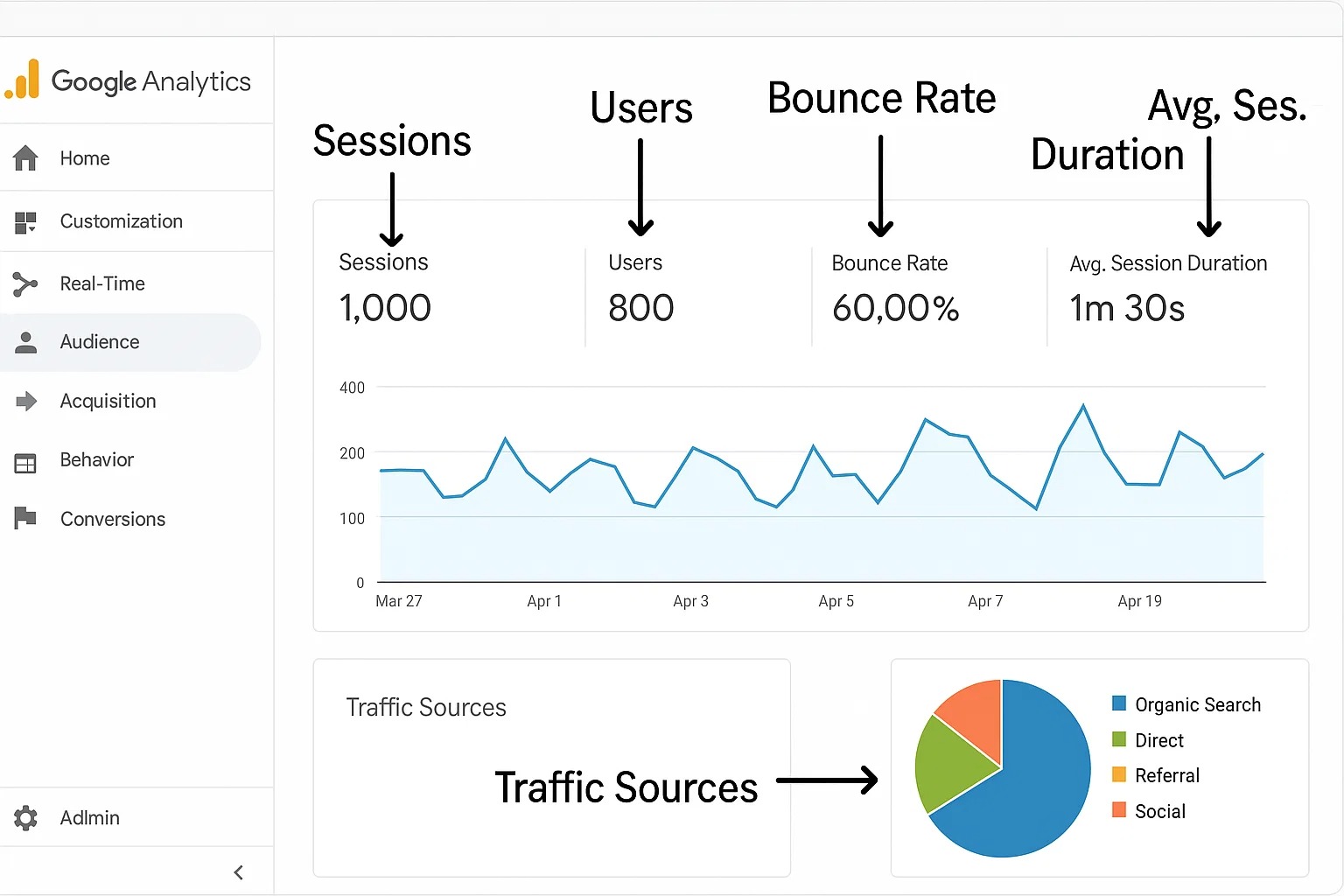
Sessions: This shows how many visits your blog receives in a given period.
Users: This metric shows how many individual visitors came to your blog, which can help you understand the unique audience you're reaching.
Bounce Rate: This shows the percentage of visitors who leave your blog after viewing only one page. A high bounce rate may indicate that your content isn’t engaging enough.
Average Session Duration: This shows how long, on average, visitors spend on your blog. The longer they stay, the more likely they are to engage with your content.
Traffic Sources: This tells you where your visitors are coming from, such as search engines, social media, or direct visits.
Using Google Analytics to Improve Your Blog
Once you’ve set up Google Analytics, it’s time to use the data to improve your blog:
Identify Popular Content: Use Google Analytics to see which blog posts are getting the most traffic. Focus on creating more content in similar topics.
Improve User Experience: If you notice a high bounce rate or short session duration, try improving your content’s readability, adding engaging multimedia, and simplifying navigation.
Google Search Console (GSC) - Mastering SEO Performance
Google Search Console (GSC) is another powerful tool provided by Google to help you track how your blog is performing in search results. It focuses on your website’s SEO performance and helps you identify issues that could affect your rankings.
Setting Up Google Search Console
Sign Up for Google Search Console: Visit the Google Search Console website and sign up.
Add Your Website: Once you’re signed in, add your blog's website by verifying ownership.
Submit Your Sitemap: If you’re using a platform like WordPress, it will generate a sitemap automatically. Submit your sitemap to Google Search Console to help Google crawl and index your content.
Google Search Console (GSC) in Rankar:This option lets you connect your Google account to view and track your website’s SEO performance directly inside Rankar.
First, sign in with your Google account.
After connection, Rankar will show your site’s key SEO metrics:
Total Clicks
Total Impressions
Average CTR
Average Position
You can also check Top Queries, Top Pages, Core Web Vitals, and Countries performance.
Key Metrics in Google Search Console
Search Traffic: GSC shows how often your blog appears in search results and which search queries are bringing visitors to your site.
Impressions and Clicks: You can track how many times your blog appeared in search results (impressions) and how many times it was clicked (clicks).
Average Position: This shows where your blog pages rank for different search queries. Ideally, you want your pages to be in the top 10 results.
Coverage: GSC also helps you identify any indexing errors or problems with your pages, ensuring Google can properly crawl and index them.
Using Google Search Console to Improve SEO
Fix Indexing Issues: If you notice errors in the "Coverage" section, fix them to ensure your pages are properly indexed and appear in search results.
Optimize for Keywords: Look at the search queries that bring the most impressions and clicks. Use this information to optimize your existing content and create new posts targeting these keywords.
Monitor Backlinks: GSC also allows you to monitor the backlinks pointing to your blog. Make sure you have high-quality backlinks from reputable websites to improve your blog’s authority.
Matomo - The Privacy-Focused Alternative
While Google Analytics and Google Search Console are extremely popular, Matomo is another tool worth mentioning. Matomo is an open-source analytics platform that gives you full control over your data, and it’s particularly useful if you’re concerned about privacy.
Setting Up Matomo
Sign Up for Matomo: Visit the Matomo website and sign up for an account.
Add Your Website: After signing up, add your website’s URL to the Matomo dashboard.
Install the Tracking Code: Matomo will provide you with a tracking code, which you need to place on your blog’s pages.
Verify the Setup: Just like Google Analytics, check if the data is being collected in real-time.
Key Metrics in Matomo
Visits: Matomo tracks how many people visit your blog and shows detailed reports.
Page Views: This shows how many times a page on your blog was viewed.
Bounce Rate: Matomo tracks how many visitors leave after viewing just one page.
Conversions: You can set goals in Matomo, such as newsletter sign-ups or product purchases, and track conversions.
Why Choose Matomo Over Google Analytics?
Privacy: Matomo allows you to own and control your data, which is important for users concerned about privacy.
Customizable Reports: You can create custom reports and dashboards to focus on the metrics that matter most to you.
No Data Sharing: Unlike Google Analytics, Matomo doesn’t share your data with third parties, making it a great option if you value privacy.
Why You Should Use All Three Tools
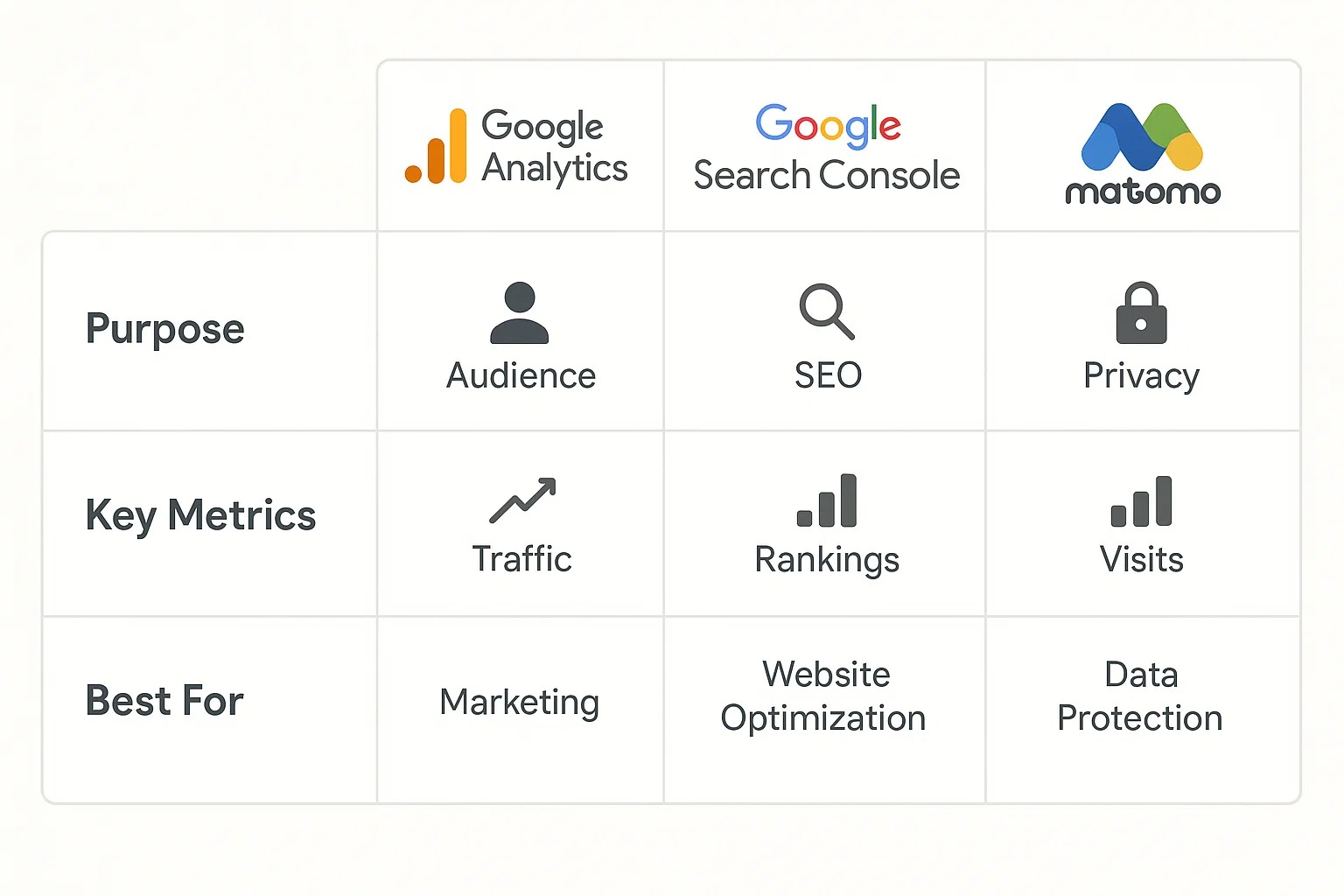
Each of these tools—Google Analytics, Google Search Console, and Matomo—provides unique insights into your blog’s performance. By using all three, you can get a comprehensive view of how your blog is doing.
Google Analytics provides deep insights into your audience’s behavior, helping you understand how people interact with your blog.
Google Search Console focuses on your SEO performance, helping you optimize your blog for better rankings.
Matomo offers a privacy-conscious alternative that gives you control over your data and custom reporting.
By combining these tools, you’ll have a 360-degree view of your blog’s performance, enabling you to make smarter decisions and take actionable steps to improve your content, traffic, and overall blog success.
Conclusion
Tracking your blog’s performance using tools like Google Analytics, Google Search Console, and Matomo is essential for growing your online presence. These tools give you insights into your audience, your content's SEO performance, and privacy-focused data. By learning how to use them effectively, you can make informed decisions to improve your blog and achieve long-term success.