
Understanding Mattermost - A Complete Guide for Guest Posting Teams
Mattermost is a powerful collaboration and project management tool that helps teams communicate, organize tasks, and track progress—perfect for guest posting...
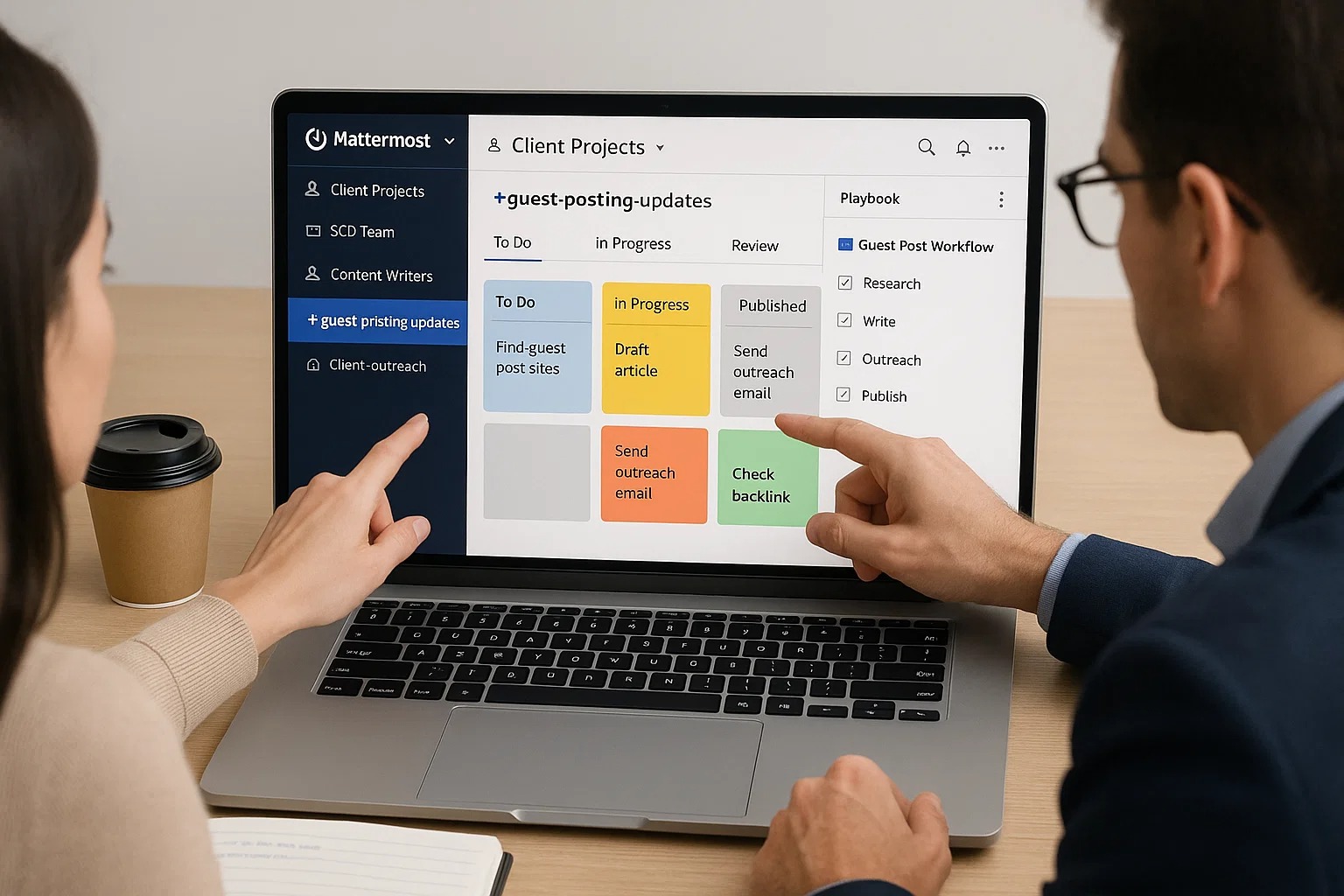
Mattermost is a powerful collaboration and project management tool that helps teams communicate, organize tasks, and track progress—perfect for guest posting agencies, SEO teams, and content managers. For Level 3 students who manage multiple projects, clients, and team members, understanding Mattermost is essential for efficiency and success.
What is Mattermost?
Mattermost is an open-source communication and workspace platform, similar to Slack. It allows teams to send messages, share files, organize tasks, and collaborate in a structured environment. It’s particularly useful for guest posting teams to manage multiple campaigns, track tasks, and coordinate with agents, content writers, and clients.
Key Features
1. Teams
Teams are groups of people working together on a project or client account. For guest posting:
Each team can represent a client, a niche, or a department.
Members in a team can share updates, tasks, and documents.
Helps maintain organized communication.
Tip: Assign roles within the team (e.g., Team Lead, Agent, Content Writer, Link Verifier) for clarity.
2. Channels
Channels are discussion spaces within a team. Mattermost supports two main types:
Public Channels: Visible to all team members. Used for announcements, general discussions, or project updates.
Private Channels: Restricted to selected members. Used for sensitive topics, client-specific discussions, or focused task coordination.
Example:
Public Channel: #guest-posting-updates
Private Channel: #client-xyz-outreach
3. Boards
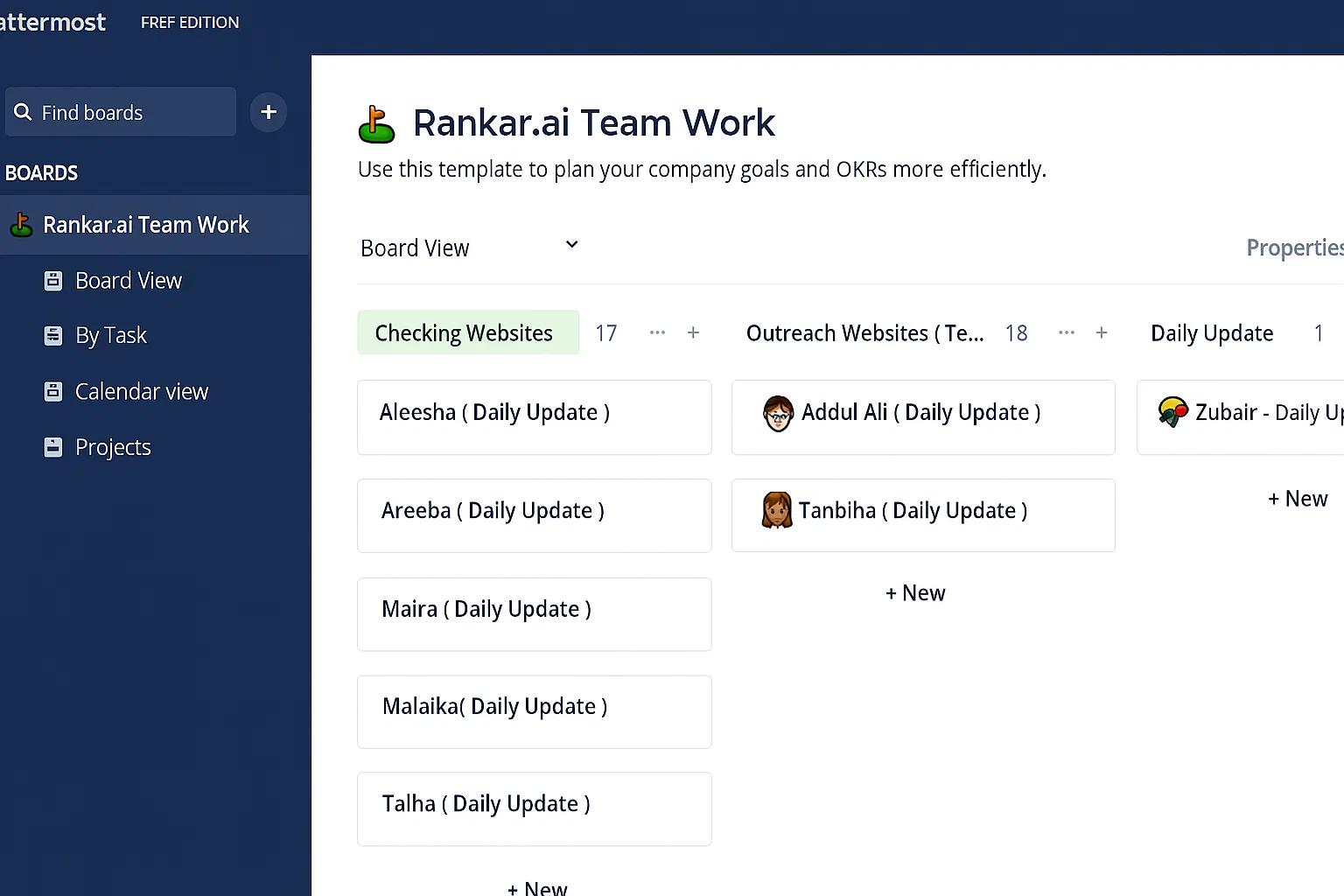
Boards in Mattermost are like task management dashboards. They help you track tasks, assign responsibilities, and visualize project progress.
Key Features:
Board Templates: Pre-made layouts for guest posting workflows. For example, “Guest Post Campaign Board” with columns like To Do, In Progress, Review, Published.
Task Assignment: Assign tasks to specific team members with deadlines.
Attachments & Notes: Attach files, drafts, or reference links to each task.
Progress Tracking: Move tasks across columns as they progress from strt to completion.
Tip: Attach one board per team member to track individual tasks and ensure accountability.
4. Playbooks
Playbooks are step-by-step workflows for recurring processes. In guest posting:
Create a playbook for “New Guest Post Submission” that outlines all necessary steps, including research, content writing, outreach, approval, and publication.
Helps standardize processes and avoid missing steps.
Can be linked to boards to automatically assign tasks based on workflow stages.
How Mattermost Enhances Your Guest Posting Process
Managing multiple clients and scaling your guest posting business requires organization and structure. Mattermost helps in several ways:
Centralized Communication: All communications for your guest posting campaigns—whether with clients, team members, or publishers—are stored in one place.
Team Collaboration: You can collaborate with multiple team members in real-time, track ongoing projects, and address any issues that arise immediately.
Project Transparency: Mattermost ensures that everyone involved in your guest posting business is on the same page, ensuring that timelines are met and goals are achieved.
Data-Driven Decisions: By integrating tools like Google Analytics and SEMrush, you can use Mattermost to share real-time data and insights, enabling your team to make informed decisions about guest posting strategies.
Organizing Work in Mattermost
To effectively manage your guest posting operations, you can use Mattermost as a central hub:
Create Teams for Each Client or Project
Keep communication focused and organized.
Use Channels for Different Purposes
Public channels: team-wide announcements, updates.
Private channels: client-specific campaigns or sensitive tasks.
Set Up Boards for Every Team Member
Assign tasks, deadlines, and track progress visually.
Integrate Playbooks for Standard Workflows
Automate repetitive tasks and ensure all steps are followed consistently.
Centralize Documentation & Files
Upload content drafts, pitch templates, and client briefs directly to Mattermost for easy access.
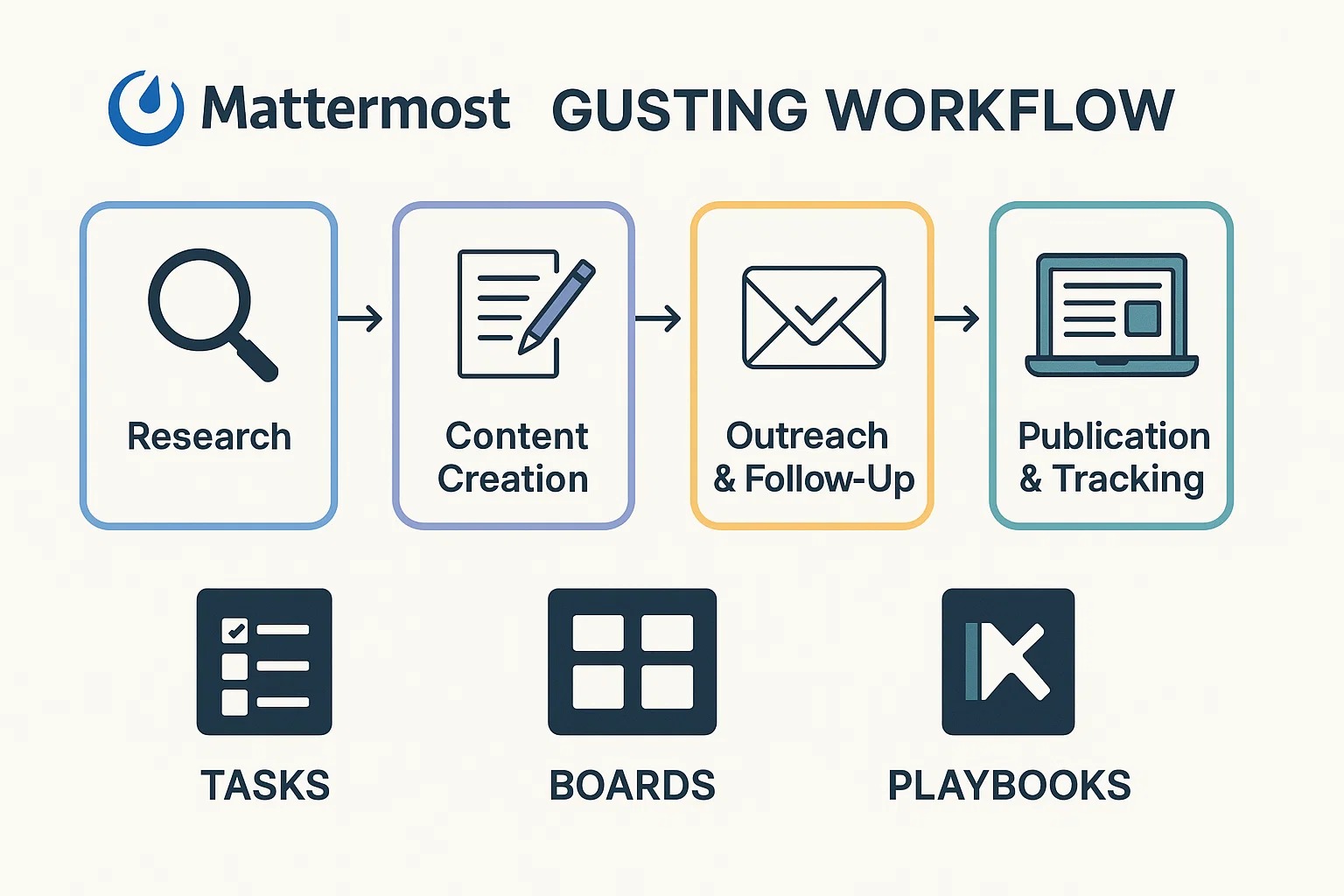
Example Workflow in Mattermost for Guest Posting
Research Phase:
Board: “Guest Post Research”
Tasks: Find high-DA websites, record niche, URL, email
Content Creation:
Board: “Content Drafts”
Tasks: Write draft, SEO optimization, internal review
Outreach & Follow-Up:
Playbook: Standard outreach process with email templates
Tasks: Send emails, track responses, follow up
Publication & Tracking:
Board: “Published Posts”
Tasks: Publish, record backlinks, check indexation
Benefits of Using Mattermost for Guest Posting Teams
Centralized communication for multiple projects and clients.
Real-time updates on tasks and deadlines.
Accountability through assigned tasks and boards.
Efficient workflow standardization with playbooks.
Clear visibility for managers on team performance and project status.
Tips for New Users
Start with one client or team and gradually expand.
Use board templates to save setup time.
Keep channels organized by purpose to avoid clutter.
Update tasks regularly to ensure accurate progress tracking.
Integrate Mattermost with tools like Google Drive, Rankar.ai, or Slack if needed.
Conclusion
Mattermost is more than just a messaging tool—it’s a complete project management system for guest posting teams. By understanding teams, channels, boards, and playbooks, Level 3 students can efficiently manage multiple clients, track tasks, and streamline workflows. Proper use of Mattermost ensures that every campaign runs smoothly, deadlines are met, and your guest posting business scales effectively.