SEO Success Metrics and Strategy: A 90-Day Action Plan
This article explains SEO success metrics and strategy, helping you understand how to measure real results and build a 90-day growth plan for better rankings.
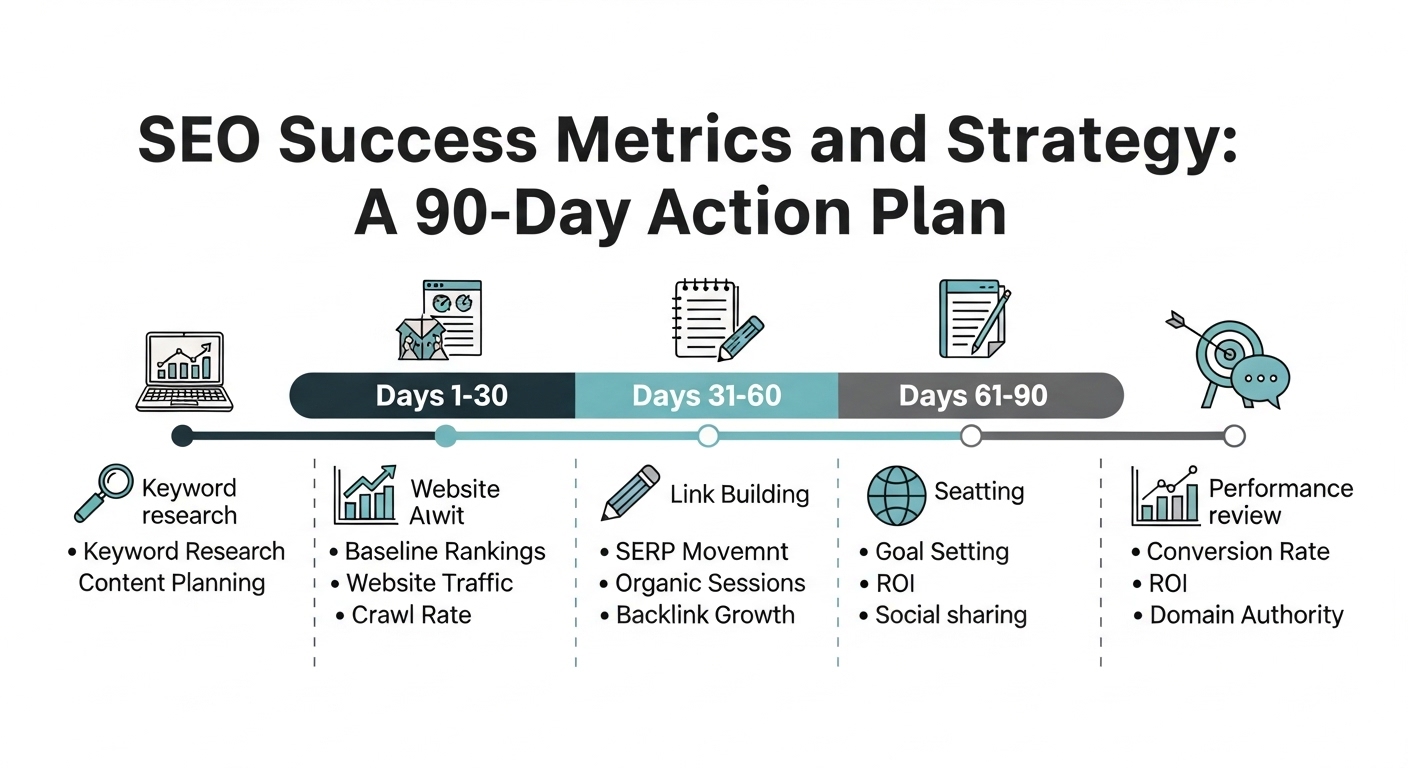
From Learning to Rankings
You have now covered all the foundational layers of SEO — how search engines work, keyword strategy, on-page optimisation, technical SEO, SERP features, and E-E-A-T authority. This final lesson ties everything together: how to measure whether your SEO work is producing results, which metrics actually matter versus which are vanity numbers, and how to build a realistic 90-day action plan that moves your site from where it is now to measurably better rankings and organic traffic.
The Metrics That Matter — and the Ones That Do Not
SEO generates a vast number of data points. Most tell you very little about whether your work is producing business results. Before setting up any measurement system, distinguish between vanity metrics — numbers that look interesting but do not measure outcomes — and outcome metrics that directly reflect the business value of your SEO effort.
|
Metric |
Type |
What It Actually Tells You |
|
Organic traffic (sessions) |
Leading indicator |
Important — shows if people are finding you. But traffic from irrelevant keywords is worthless. |
|
Keyword rankings for target list |
Leading indicator |
Critical for tracking progress. Most useful when tracked for specific commercial target keywords. |
|
Click-through rate (CTR) |
Quality signal |
Low CTR for your position means your title or meta description is not compelling. Actionable. |
|
Organic conversions |
Outcome metric |
Leads, form fills, or purchases from organic traffic. The actual business value of your SEO work. |
|
Organic revenue attribution |
Outcome metric |
The ultimate SEO metric — how much revenue did organic search generate this period? |
|
Domain Authority / Domain Rating |
Lagging indicator |
Directionally useful for tracking link building progress, but does not directly affect rankings. |
|
Total keywords ranked |
Vanity metric |
Ranking for 5,000 irrelevant keywords is worthless. Track your target keyword list, not the total. |
|
Total SERP impressions |
Vanity metric |
Impressions without clicks mean very little. Focus on CTR and average position, not raw impression counts. |
Setting Up GA4 for Organic Traffic Tracking
1. Create your GA4 property. Go to analytics.google.com → Create Property → follow the setup wizard. You will receive a Measurement ID (G-XXXXXXXXXX). Add the GA4 tracking code — or use Google Tag Manager — to every page of your site.
2. Configure conversion events. A conversion in GA4 is any action you care about: a contact form submission, a phone call click, a signup, or a purchase. Go to Admin → Events → mark the relevant events as conversions. Without this step, you can see traffic but not business outcomes. This step is non-optional.
3. Link GA4 to Google Search Console. In GA4: Admin → Property → Search Console Links → Add Link → select your GSC property. This connects query-level data from GSC with session and conversion data from GA4 in a single view.
4. Create your organic traffic report. Reports → Acquisition → Traffic Acquisition → filter by "Organic Search" as the default channel. Note the Sessions, New Users, Conversions, and Conversion Rate columns. This is the report you will check every week.
Your 90-Day SEO Action Plan
A 90-day plan transforms what you have learned in this track into a specific sequence of actions with clear weekly tasks and measurable milestones. The structure below is based on the Rankar Academy 90-Day Roadmap — the same framework used by thousands of students to go from zero organic traffic to measurable rankings.
Month 1 (Days 1–30): Foundation and Technical
Your first month is entirely about getting your technical house in order before building anything on top of it. Technical issues fixed in month one compound your results for the rest of the year.
• Week 1: Complete a full RankAudit technical crawl — identify and prioritise all technical issues: indexation problems, canonical errors, crawl blocks, Core Web Vitals failures
• Week 1: Set up Google Search Console and Google Analytics 4 — verify both are tracking correctly with conversion events configured
• Week 2: Fix all critical technical issues — noindex tags, robots.txt errors, broken internal links, HTTPS issues, redirect chains
• Week 2: Complete your keyword research — build a prioritised list of 30 to 50 target keywords using RankTracker's research module
• Week 3: Audit existing content — identify pages to optimise (positions 5–20), refresh (declining traffic), consolidate (thin or duplicate), or remove
• Week 3–4: Implement on-page optimisations on your top 10 target pages — title tags, heading structure, content depth, internal links
• Week 4: Add schema markup to all eligible pages — FAQ schema first, then Product or HowTo as applicable to your content
Month 2 (Days 31–60): Content and Authority Building
• Week 5–6: Publish 4 new articles targeting your highest-opportunity long-tail keywords. Each must: match clear search intent, be at least 1,000 words, have full on-page optimisation, and receive 3 internal links on publish day
• Week 6: Build your first content cluster — identify your highest-priority pillar topic, publish the pillar page, and plan 8 cluster articles
• Week 7–8: Begin link building — set up brand mention monitoring via Google Alerts, identify unlinked mentions, and begin outreach for mention reclamation. Target 3 to 5 new linking domains per month
• Weekly: Check RankTracker for ranking movements on your target keyword list — document improvements and identify content needing further optimisation
Month 3 (Days 61–90): Optimise and Scale
• Week 9–10: Publish 4 more cluster articles. Update the pillar page with links to all published cluster content. Ensure bidirectional linking throughout the entire cluster.
• Week 10–11: Scale link building — identify guest post opportunities in your niche (target DR 40+ publications), pitch 5 to 8 editors, aim for 2 live guest posts by end of month 3
• Week 11–12: Full performance review — compare organic traffic, keyword rankings, and conversions against your month 1 baseline. Identify what is working (double down) and what is not (investigate and adjust)
• Day 90: Plan Month 4 based on data — which content clusters are gaining traction? Which keywords are close to page one? What technical issues remain outstanding?
Your 90-Day Milestone Goals
|
Milestone |
Target |
How to Measure |
|
30 days |
All critical technical issues resolved. GSC and GA4 fully configured. 10 existing pages re-optimised. |
GSC Index Coverage report — zero critical errors |
|
60 days |
4+ new articles published. First ranking movements visible. 5+ new linking domains acquired. |
RankTracker — target keyword list movement |
|
90 days |
8+ articles live. Measurable organic traffic increase. First keywords reaching top 10. |
GA4 organic sessions vs. baseline. RankTracker top-10 count. |
|
✅ PRO TIP |
|
After 90 days of consistent execution, realistic expectations for a site starting from a low baseline include: 3–8 target keywords moving from outside the top 20 to positions 5–15, a 20–60% increase in organic sessions in GA4, at least 2–3 pages ranking in the top 10 for low-difficulty long-tail keywords, and the first attribution of organic conversions or revenue in your analytics. Results vary significantly by niche competitiveness, starting domain authority, and execution consistency — but these are achievable benchmarks for most sites. |
What Comes Next — Your Learning Path
You have completed SEO Fundamentals — the foundation for everything else in your SEO journey. The natural next steps in the Rankar Academy 90-Day Roadmap are:
• Link Building (Days 15–27) — build a systematic backlink acquisition programme with outreach, digital PR, and guest posting
• Keyword Strategy (Days 28–35) — advanced keyword research, content mapping, and topical authority planning
• Technical SEO Deep Dive — JavaScript SEO, log file analysis, international SEO, and enterprise crawl optimisation
• Content Mastery — pillar pages, content clusters, the content refresh framework, and AI-assisted content workflows
FAQs About 90 Day SEO Plan
What is a 90 day SEO plan?
A 90 day SEO plan is a step-by-step strategy designed to improve search rankings, traffic, and conversions within three months.
How long does SEO take to show results?
SEO typically shows noticeable results within 3 to 6 months, depending on competition and consistency.
What are the most important SEO metrics?
The most important SEO metrics include organic traffic, keyword rankings, conversions, and revenue.
Can beginners follow a 90 day SEO plan?
Yes, a structured 90 day SEO plan is ideal for beginners as it provides clear steps and measurable goals.
✓ Key Takeaways
✓ Outcome metrics (organic conversions and revenue) matter most. Leading indicators (rankings, traffic) show progress. Vanity metrics (total impressions, total keyword count) are at best directional.
✓ GA4 must have conversion events configured to measure SEO's business impact — traffic data without conversion tracking tells you nothing commercially useful.
✓ Link GA4 to Google Search Console to connect query-level search data with session and conversion data in a single unified view.
✓ Month 1: fix all technical issues and optimise existing content. Month 2: publish new content and begin link building. Month 3: scale content and links, then review performance data.
✓ Realistic 90-day outcomes: 3–8 target keywords reaching positions 5–15, measurable traffic increase, first top-10 rankings on long-tail keywords.
✓ You have completed SEO Fundamentals. Take the assessment, earn your certificate, and start Link Building — the next track in the 90-Day Roadmap.