How to Start a WordPress Blog for Guest Posting
Start a WordPress blog for guest posting, attract quality contributors, and grow your SEO traffic with the right setup and optimization.
Starting a WordPress blog is a powerful way to establish your online presence and engage in guest posting. This guide will walk you through the essential steps to set up your blog, optimize it for guest posting, and ensure it's ready to attract quality contributors.
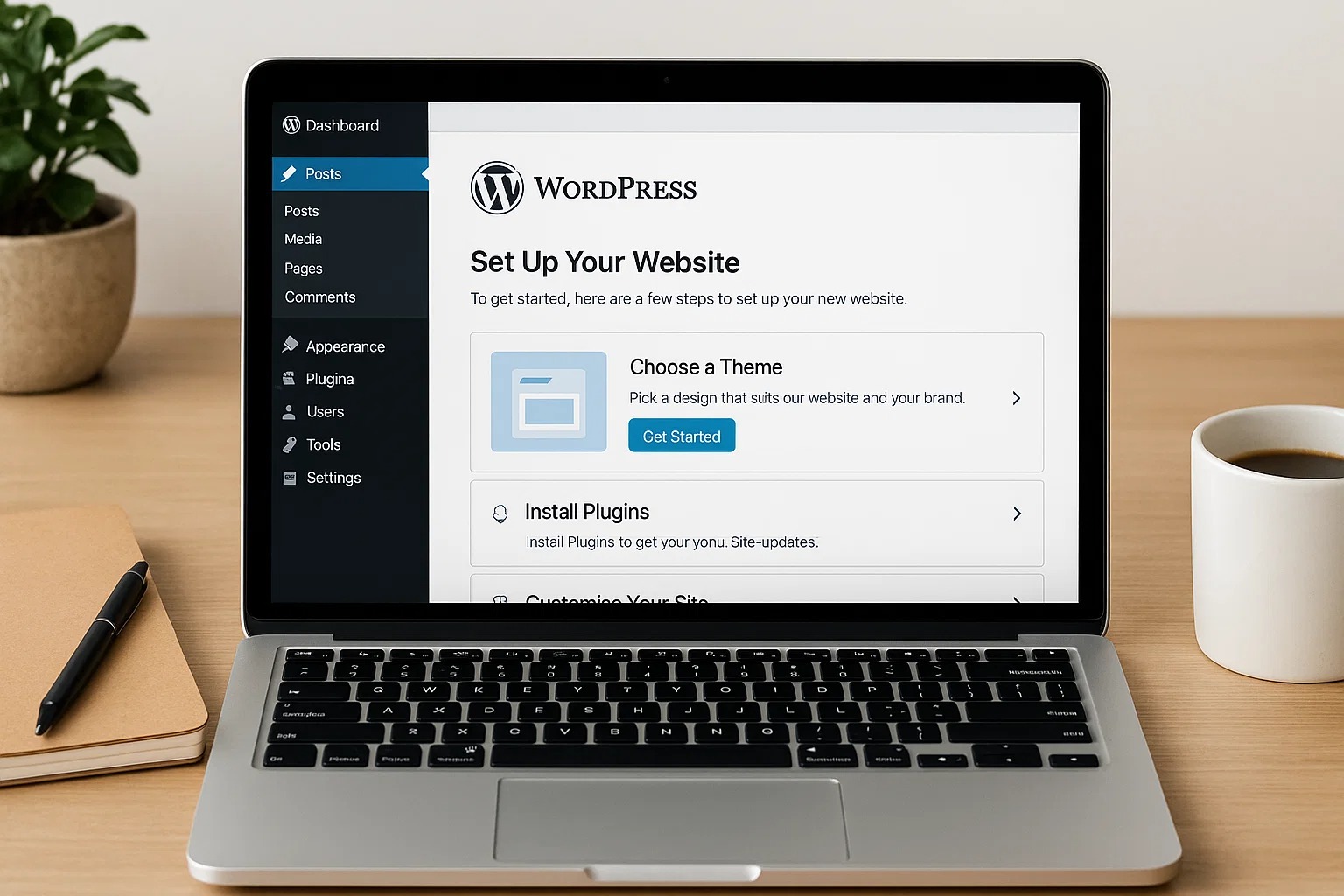
Setting Up Your WordPress Blog
Choose a Domain and Hosting
Domain Name: Select a unique and memorable domain name that reflects your niche.
Web Hosting: Opt for reliable hosting providers like Bluehost, SiteGround, or HostGator.
Install WordPress: Most hosting services offer one-click WordPress installations.
Select a Theme
Responsive Design: Ensure the theme is optimised for mobile devices.
Customization Options: Choose a theme that allows easy customization to match your brand.
Performance: Opt for lightweight themes to ensure fast loading times.
Essential Plugins
SEO Plugin: Install plugins like Yoast SEO or Rank Math to optimize your content for search engines.
Security Plugin: Use plugins such as Wordfence or Sucuri to protect your site from threats.
Backup Plugin: Implement regular backups with plugins like UpdraftPlus.
Optimizing Your Website for Guest Posting
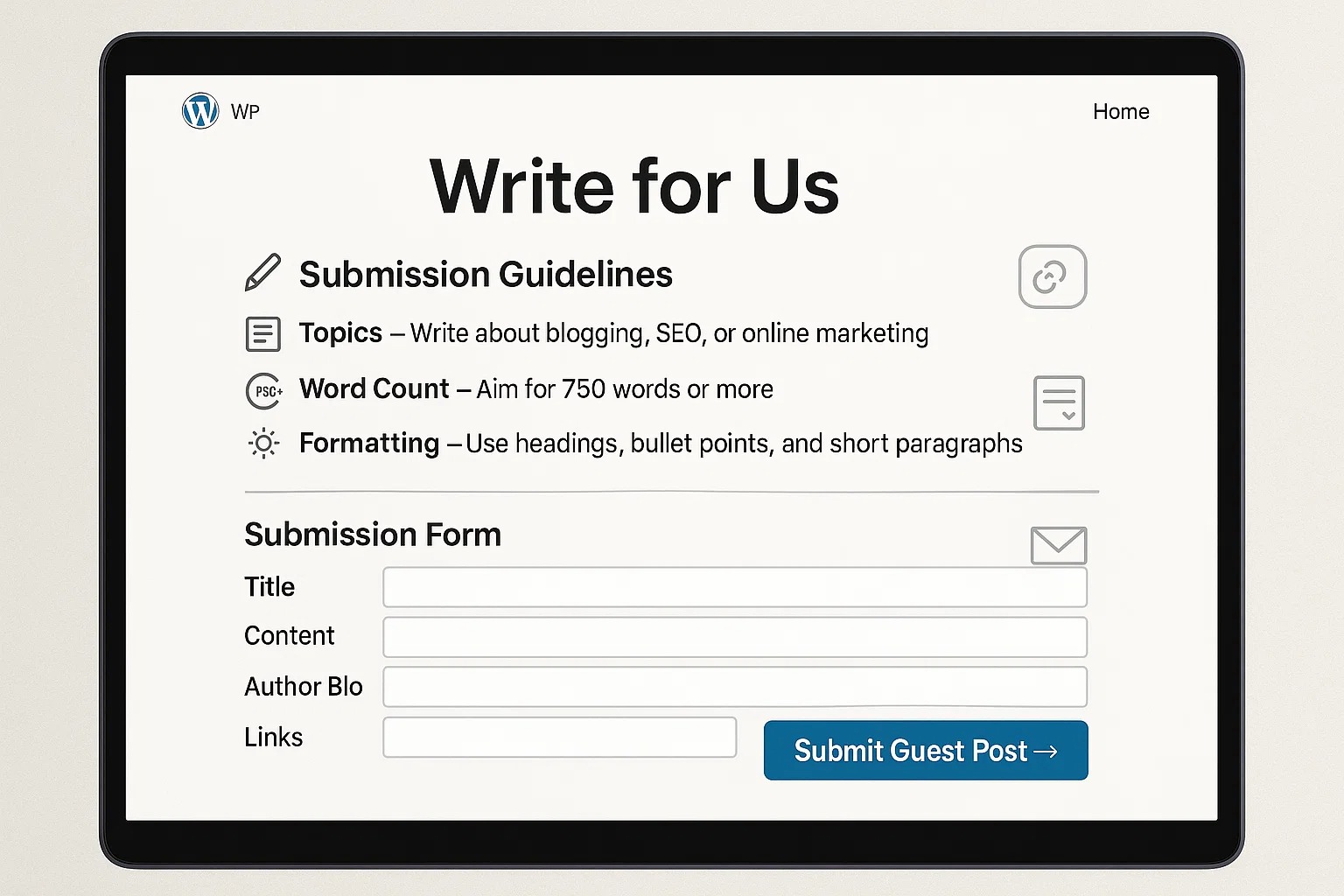
a. Create a "Write for Us" Page
Submission Guidelines: Clearly outline the topics, word count, and formatting requirements.
Contact Information: Provide an email address or submission form for potential contributors.
Benefits: Highlight the advantages of guest posting on your site, such as exposure and backlinks.
b. Enable Frontend Post Submission
User Roles: Assign appropriate roles to guest authors, such as Contributor or Author.
Submission Forms: Utilize plugins like WPForms or User Submitted Posts to allow frontend submissions.Moderation: Set up a system to review and approve guest posts before publication.
c. Set Up a Guest Post Submission Form
Form Fields: Include fields for title, content, author bio, and relevant links.
Captcha: Implement CAPTCHA to prevent spam submissions.
Notifications: Configure email notifications for both admins and contributors upon submission.
Creating a WordPress blog for guest posting requires more than just installing WordPress and allowing external contributors to publish content. It involves building a structured, scalable system that balances user experience, content quality, and search engine optimization. A well-planned WordPress blog for guest posting acts as a content hub that not only attracts contributors but also consistently ranks in search engines and generates long-term organic traffic. To achieve this, website owners must focus on creating a strong foundation that supports both content creation and SEO performance from the very beginning.
The first step in building a successful guest posting platform is establishing a clear content framework. Without defined guidelines, contributors may submit low-quality or irrelevant content that does not align with your niche or audience expectations. This is why a properly optimized “Write for Us” page is essential. It should clearly communicate your niche, accepted topics, content structure, formatting rules, and linking policies. By setting these expectations upfront, you filter out unqualified contributors and attract professionals who understand the value of high-quality content. This improves overall content consistency and reduces the time required for editing and approval.
Another crucial factor is the technical setup of your WordPress blog. Your website should be designed to handle guest contributions efficiently without compromising performance or security. Frontend submission forms play a major role in simplifying the submission process. These forms allow contributors to submit their content directly without accessing the backend dashboard, which enhances security and usability. Plugins like WPForms or User Submitted Posts can streamline this process by providing customizable submission forms that include fields for article title, content, author bio, and relevant links. Additionally, implementing CAPTCHA and spam protection ensures that your site is protected from automated or low-quality submissions.
From an SEO perspective, every guest post should be treated as a strategic asset rather than just additional content. This means optimizing each post with proper keyword targeting, internal linking, and on-page SEO elements. A strong WordPress blog for guest posting should follow a structured keyword strategy where each post targets specific search queries that align with your niche. This not only improves your chances of ranking but also builds topical authority over time. Instead of accepting random topics, focus on content that supports your overall SEO goals and strengthens your site’s relevance in search engines.
Internal linking is another powerful factor that enhances the performance of your guest posting blog. When each guest post is properly linked to relevant existing content, it creates a network of interconnected pages that improves crawlability and distributes link equity across your site. This helps search engines understand the relationship between different topics and boosts the ranking potential of multiple pages simultaneously. A well-structured internal linking strategy ensures that every new guest post contributes to the overall SEO strength of your website rather than existing as isolated content.
User experience also plays a critical role in the success of a guest posting platform. A fast-loading, mobile-friendly, and easy-to-navigate website encourages both contributors and readers to engage with your content. Choosing a lightweight theme, optimizing images, and using caching plugins can significantly improve your site’s performance. A positive user experience not only reduces bounce rates but also increases the likelihood of users exploring more content, which sends positive signals to search engines.
Building relationships with contributors is equally important for long-term growth. Engaging with writers, providing constructive feedback, and maintaining open communication helps create a loyal network of contributors who are more likely to submit high-quality content regularly. This not only improves the consistency of your content but also enhances your website’s reputation within your niche. Strong relationships can also lead to collaborations, partnerships, and increased exposure through contributors’ own networks.
Another important aspect of managing a WordPress blog for guest posting is maintaining content quality over time. Regularly reviewing published posts, updating outdated information, and ensuring that all content meets current SEO standards is essential for sustaining rankings. This includes refreshing keywords, updating internal links, and improving readability where necessary. A well-maintained blog signals reliability and authority to search engines, which can positively impact your overall rankings.
Ultimately, a successful WordPress blog for guest posting is built on a combination of strategic planning, technical optimization, and consistent content management. It is not just a platform for publishing external content but a structured system designed to attract high-quality contributors, improve search visibility, and generate sustainable organic traffic. By focusing on clear guidelines, efficient submission processes, strong SEO practices, and ongoing optimization, you can transform your guest posting blog into a powerful asset that drives long-term growth, authority, and online success.
Attracting Quality Guest Contributors
a. Promote Your "Write for Us" Page
Social Media: Share the page link on your social media platforms.
Networking: Reach out to potential contributors in your niche.
SEO: Optimize the page for search engines to increase visibility.
b. Offer Incentives
Exposure: Highlight the potential audience reach.
Backlinks: Allow contributors to include backlinks to their sites.
Compensation: Consider offering monetary compensation for high-quality posts.
c. Build Relationships
Engagement: Interact with potential contributors through comments and social media.
Collaborations: Partner with influencers or other bloggers in your niche.
Feedback: Provide constructive feedback to contributors to build trust and encourage future submissions.
Managing and Publishing Guest Posts
a. Review Submissions
Quality Check: Ensure the content meets your guidelines and quality standards.
SEO Optimization: Optimize the post for SEO before publishing.
Editing: Edit for grammar, spelling, and clarity.
b. Publish and Promote
Scheduling: Schedule posts for optimal times to reach your audience.
Promotion: Share the published posts on social media and through newsletters.
Engagement: Encourage readers to comment and share the posts.
Monitoring and Improving
a. Track Performance
Analytics: Use tools like Google Analytics to monitor traffic and engagement.
Feedback: Collect feedback from contributors and readers to improve the process.
b. Continuous Improvement
Content Calendar: Develop a content calendar to plan future guest posts.
SEO Audits: Regularly perform SEO audits to ensure optimal performance.
Training: Provide training or resources for guest contributors to maintain quality standards.
Conclusion
Setting up a WordPress blog optimized for guest posting involves careful planning and execution. By following these steps, you can create a platform that attracts quality contributors, enhances your content, and boosts your site's authority in your niche. Remember, consistency and engagement are key to building a successful guest posting strategy.