
Measurement Foundations
Google Search Console Every Report Seos Use Daily
Search Console is the only source of truth for how Google actually sees and ranks your site, and reading its reports correctly prevents a huge amount of wasted diagnostic effort.
Want to earn a Rankar Academy certificate?
This lesson is free to read in full, with nothing to sign up for. Join the Academy to track your learning, complete courses and sit the certification assessment.
Join the Academy →Performance model
Analytics & Optimisation · Measurement Foundations
Stage 1
Performance Report Fundamentals
Stage 2
Coverage and Indexing Reports
Stage 3
Sitemaps, Links and Core Web

Performance Report Fundamentals
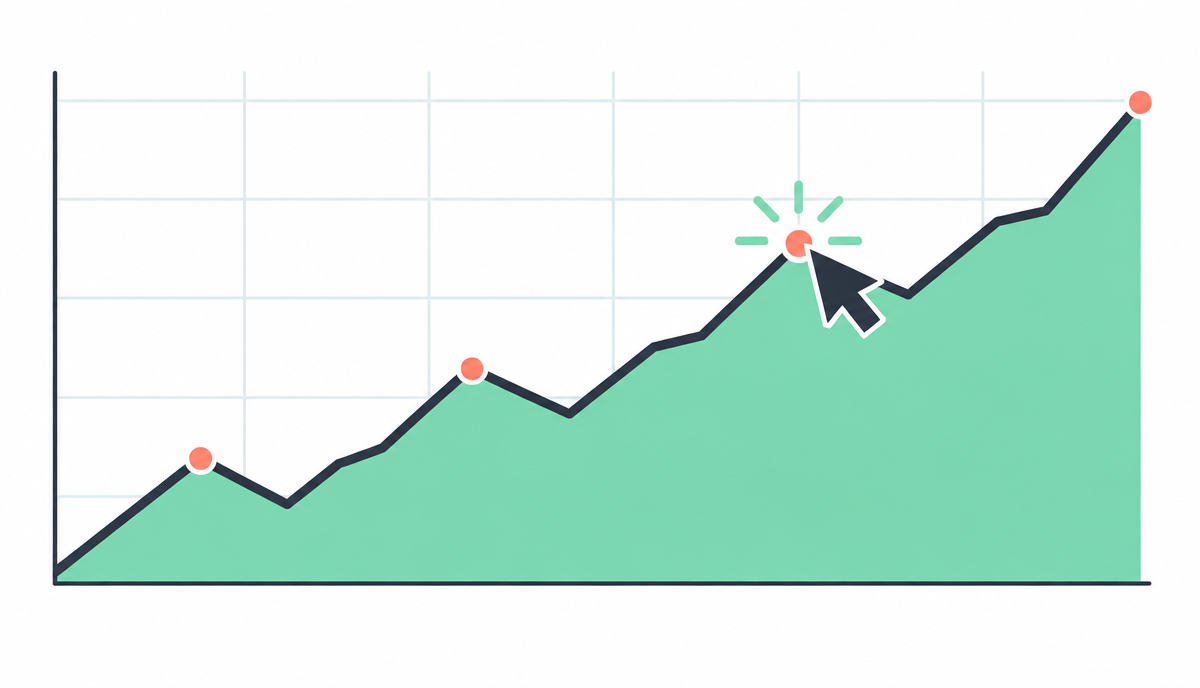
The Performance report's clicks, impressions, CTR and average position figures are aggregated and sampled in ways that trip people up: average position is an average across all queries and devices for a page, so a page can show position 8 while ranking position 3 for one query and position 40 for another — always segment by query before drawing conclusions from a page-level average.
Filter by query, page, country and device independently before combining them, since combining filters too early can hide the segment where the real signal lives — a ranking drop that looks flat overall might be a sharp mobile-only decline masked by stable desktop performance.
Coverage and Indexing Reports

The Pages report (formerly Coverage) shows why URLs are or aren't indexed, grouped into reasons like 'Crawled - currently not indexed' and 'Discovered - currently not indexed' — the first means Google looked at the page and chose not to index it (usually a quality or duplicate content signal), the second means Google hasn't got around to crawling it yet (usually a crawl budget or internal linking signal), and treating these the same wastes diagnostic time.
Use the URL Inspection tool for spot-checks on individual pages, but don't rely on it for bulk diagnosis — its live test can time out or return incomplete data under load, and the indexed/not-indexed status shown can lag the Pages report by several days.
Crawled - currently not indexed → usually a quality/duplicate content signal
Discovered - currently not indexed → usually a crawl budget/internal linking signal
Excluded by noindex tag → check this is intentional, not accidental
Duplicate without user-selected canonical → Google chose a different canonical than you specified
Sitemaps, Links and Core Web Vitals
Submit an accurate, regularly updated XML sitemap and check the Sitemaps report's indexed-vs-submitted counts weekly — a growing gap between submitted and indexed URLs is an early warning sign worth investigating before it becomes a bigger problem. The Links report shows top linking sites and top linked pages, useful for spotting both new backlink opportunities that worked and any suspicious spammy link patterns worth a disavow review.
The Core Web Vitals report groups URLs by real-user field data into Good/Needs Improvement/Poor buckets by URL group, not individual URL — use it to prioritise which templates need a performance fix, then verify individual page scores in lab tools before and after the fix.
Exporting Into RankTracker
Connect Search Console to RankTracker to pull query-level performance data alongside your manually tracked keyword positions, since Search Console shows the full long-tail query set a page ranks for while RankTracker shows precise daily position tracking for your priority terms — the two together give a much fuller picture than either alone.
Why this lesson matters
Misinterpreting Google Search Console data leads directly to misguided optimisation efforts and wasted resource. Imagine you launch a significant new content cluster targeting high-value commercial keywords, but fail to notice a sudden, sustained drop in impressions and average position for those specific URLs within Search Console's Performance report. Without this immediate, first-party data, you might erroneously conclude the content itself is poor, leading to unnecessary rewrites, rather than investigating a potential indexing issue highlighted in the Coverage report, for instance.
Conversely, a diligent, daily review of Search Console enables proactive problem-solving. Consider a scenario where your organic traffic unexpectedly dips. By correlating the traffic drop with specific URL groups or query changes in the Performance report, and then cross-referencing with the Core Web Vitals report, you might swiftly identify a sudden dip in cumulative layout shift scores impacting mobile users. This granular insight prevents prolonged revenue loss and allows for targeted technical remediation, safeguarding your site's search visibility and user experience.
Prioritising GSC Diagnostic Workflows
Effective utilisation of Search Console involves a structured diagnostic workflow, rather than simply browsing reports. When a significant ranking or traffic anomaly is detected, your immediate priority is to narrow down the potential cause. Start by segmenting the Performance report by date range, query, page, and device to pinpoint the affected areas. If a specific page type or set of keywords is impacted, this guides your next step. For example, a sudden drop in desktop impressions for product pages would prompt an investigation into the Core Web Vitals report for those specific URLs, looking for desktop-specific issues.
Following this, if the Performance report indicates a broad decline or a lack of expected presence for new content, your attention should shift to the Coverage report. Look for new 'excluded' or 'error' pages, especially 'Indexed, though blocked by robots.txt' or 'Discovered – currently not indexed' status codes, which directly prevent content from ranking. Concurrently, check the Sitemaps report to ensure all intended URLs are submitted and processed without errors. This hierarchical approach, moving from performance indicators to technical indexing health, ensures you address the most critical issues first.
Segment Performance data before drawing conclusions.
Correlate performance changes with indexing status.
Check Core Web Vitals for affected page groups.
Prioritise 'excluded' statuses over 'valid' warnings.
Do it now
Your immediate task is to establish a baseline for your site's current organic performance within Search Console, which will be essential for subsequent analysis and optimisation efforts. This involves identifying your top-performing pages and the queries driving traffic to them.
Log into Google Search Console for your primary domain.
Navigate to the Performance report and set the date range to 'Last 28 days'.
Click on the 'Pages' tab and identify the top 10 URLs by total clicks.
For each of these top 10 URLs, click on the URL, then select the 'Queries' tab to see the top 5 queries driving traffic to that specific page. Export this data for future reference in RankTracker.
Key takeaways
Never draw conclusions from an average position without segmenting by query
Distinguish 'crawled not indexed' from 'discovered not indexed' — they need different fixes
Monitor the sitemap indexed-vs-submitted gap weekly
Combine Search Console's long-tail query data with RankTracker's daily position tracking
Create a project, add keywords page by page, read positions, SERP features, share of voice and competitor gaps.