
The keyword rank tracker that tells you what to fix next.
Track Google desktop and mobile rankings daily, join your real Search Console clicks to every keyword, and get an AI SEO report that names the pages to fix this week.
- Desktop and mobile tracked separately
- Search Console traffic on the same row
- AI report written from live data
No credit card · Live Google SERP data on your first refresh · Cancel anytime
Why keyword rank tracking still costs you a whole day.
Rank data is everywhere. Decisions aren't.
- ✕
Rankings and traffic live apart
Every report starts with a spreadsheet merge.
- ✕
Blended positions lie
One average hides the device losing you clicks.
- ✕
3,000 rows, zero priorities
Nothing tells you which four pages to fix this week.
- ✕
Reporting eats a day
Exports, screenshots, a narrative written from scratch.
How RankTracker turns rank data into a weekly action list.
Track, join, prioritise, report — without leaving the page.
- 01
Track
Live Google desktop and mobile positions, every day.
- 02
Join
Search Console clicks and impressions on the same rows.
- 03
Prioritise
Striking distance, gaps and cannibalization, ranked.
- 04
Report
An AI report your client can read, in one click.
Track keyword rankings without opening Google.
Set the project up once. The table stays current from then on.
- 01
Add a project and your keywords
One domain per project. Paste or type the keyword set, tag them into groups and segments, and pick the location and language the rankings should be measured in.
- 02
Run a live SERP refresh
Refresh fans every tracked keyword out in parallel against the live SERP endpoint — desktop and mobile — and writes rank, ranking URL and SERP features back into the table as each response lands.
- 03
Positions and metrics land on one row
Position, delta and sparkline sit beside volume, difficulty, CPC, intent and your Search Console impressions and clicks. No CSV merge, no second tab.
- 04
Every snapshot is kept
Each run is stored per keyword, per engine, per day, so the keyword's history starts the moment you add it and never depends on you remembering to export.
New keywords are checked immediately on add, so a keyword has a position the minute it enters the project.
Set-up takes about two minutes — no credit card.
Start tracking freeSee how to track Google rankings in under 2 minutes.
A slow guided walkthrough of the actual workspace: every click, the data it returns and why it matters. Jump to any step.
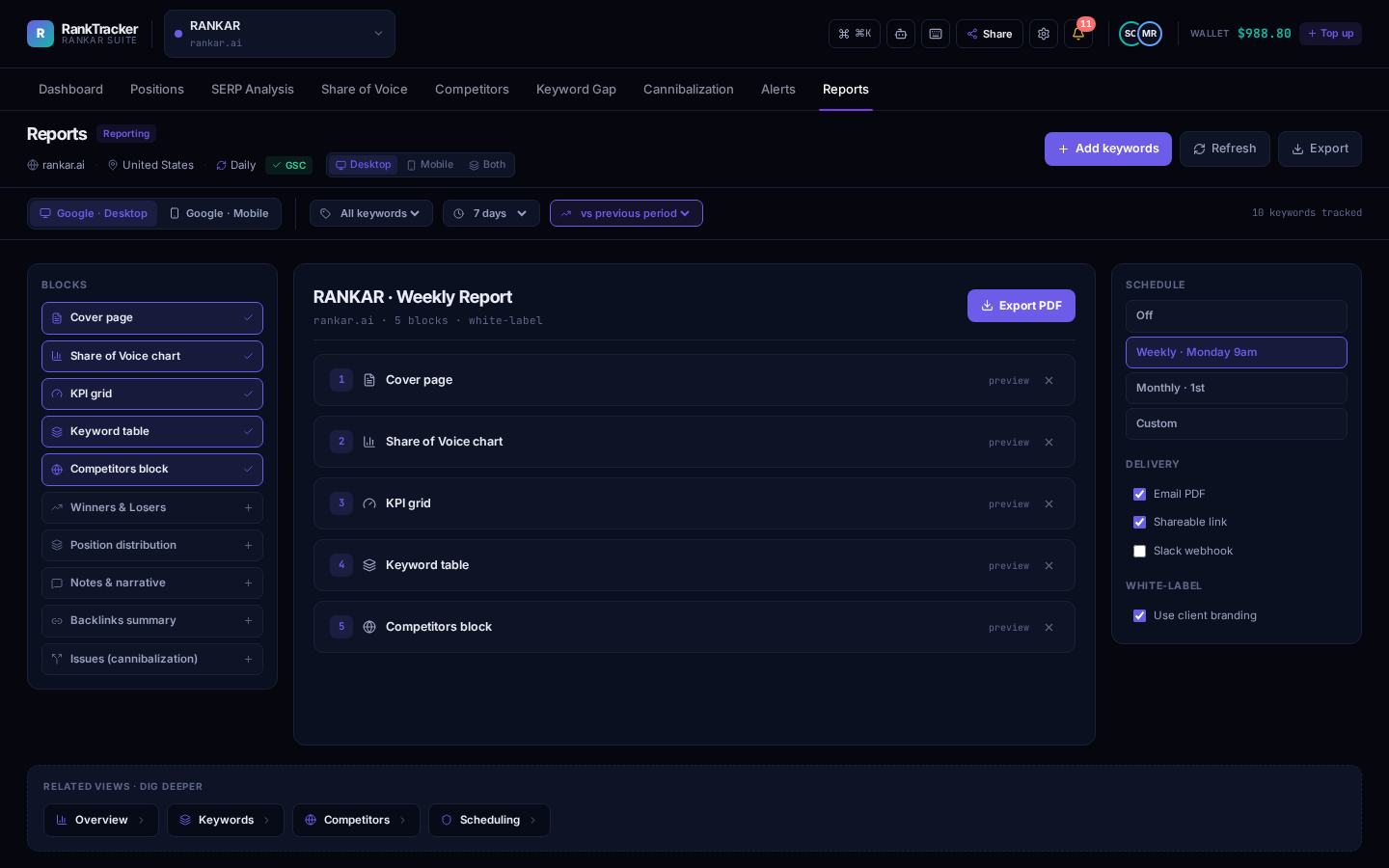
Open the project you're tracking.
- Action
- Open the project you're tracking.
- Result
- Visibility, tracked keywords, average position, top-3 share and open opportunities load with period deltas.
- Why it matters
- Ten seconds to know whether today needs your attention.
A slow, narrated walkthrough of the real workspace. Pause any time.
- 2
- Engines per keyword
- 8
- Metrics per row
- 12
- Analysis workspaces
- ~2 min
- Signup to first snapshot
Google desktop and mobile, never blended
Rank, trend, clicks, impressions, volume, KD, CPC, intent
Striking distance to cannibalization
Domain, keywords, refresh
Six reasons teams drop their old rank tracker.
Six reasons Rankar replaces the stack you're paying for.
Device-level truth
Desktop and mobile tracked separately — never averaged into a lie.
See it in the demoRankings + real traffic
Search Console impressions and clicks sit beside every position.
See it in the demoA shortlist, not a spreadsheet
Striking-distance wins surface themselves, sorted by upside.
See it in the demoSee competitors move first
Share of voice and keyword gaps flag rivals before your traffic drops.
See it in the demoReports that write themselves
Executive summary and a 30-day plan from live data, in seconds.
See it in the demoTeam-safe by default
Organizations, roles and row-level security around every project.
See it in the demoRankings are the earliest signal you have.
You see movement before it reaches traffic
A drop from 6 to 11 costs clicks days before it shows in an analytics chart. Tracking positions daily means you find the drop while the cause is still fresh — a template change, a new competitor page, a lost snippet.
You can prove SEO worked
Stored snapshot history turns 'it feels better' into a dated line: the keyword sat at 14 for three weeks, you shipped the rewrite on the 9th, it has held 5–6 since. That is the chart a client or a CFO signs off on.
You prioritise by upside, not by feeling
Position next to volume and difficulty makes the shortlist obvious. A 2,400/month term at position 8 beats a 90/month term at position 3, every week of the year.
Manual checking is unreliable
Your own browser is personalised, logged in, geo-biased and cached. Checking twenty keywords by hand takes an hour and still produces a number you cannot defend in a meeting.
Per-keyword sparkline and delta
Every row shows the change against the previous snapshot and an inline sparkline of the recent run, so improving, declining and flat keywords separate at a glance.
Portfolio visibility trend
The dashboard rolls the same history into a visibility line for the whole tracked set, weighted by click curve and volume — one chart that answers 'are we winning overall'.
Rank distribution over the period
A histogram of how many keywords sit in 1–3, 4–10, 11–20, 21–50 and beyond, so you can see the portfolio shifting up a band rather than watching individual rows.
Date-filtered comparisons
Filter the table by date to compare any two snapshots and list exactly which keywords gained, dropped or held between them.
Striking distance (positions 4–15)
One filter isolates every keyword sitting just off the top results, sorted so high-volume near-misses float up. The dashboard counts them as an Opportunities KPI that deep-links into the filtered table.
Keyword gap against a competitor
Diff your ranking set against any rival domain to list terms they own and you don't, with volume and difficulty attached, sorted by opportunity — and open a row for an AI content brief targeting that exact gap.
Cannibalization conflicts
Queries where more than one of your URLs has ranked are flagged with how often each page swaps in, plus a recommended canonical target based on historical strength.
Winnable SERP features
Snapshots record the feature blocks on each query — featured snippet, People Also Ask, image and video packs — and flag snippets where you already rank on page one.
Google desktop and Google mobile
Each keyword is queried twice per snapshot. The engine toggle swaps the entire workspace — tables, deltas, charts and reports — between the two datasets, because a blended position hides the device losing you clicks.
Location-based rankings
Every project carries a location code and language code, and each refresh runs at that target. Change the market and the whole project is measured there.
The exact ranking URL
Snapshots store which of your URLs Google chose, not just the number — the input for the Pages rollup and cannibalization detection.
Competitors on the same SERP
Add any rival domain and every future snapshot records their position for your keyword set on the same engine, location and day, so comparisons are like-for-like.
Every feature above is live on the free plan.
Create your free projectA keyword rank tracker that shows position, traffic and the next move.
RankTracker is the rank tracking workspace of the Rankar Suite. You create a project for a domain, add the keywords you want to be found for, choose the location and language you want to be measured in, and RankTracker queries the live Google SERP for each keyword — once on desktop, once on mobile.
Every refresh is a real search engine result page pulled through DataForSEO at your chosen location and language, not a cached index or an estimate. RankTracker matches your domain against the returned results (protocol, www and trailing slash normalised), records the exact ranking URL, and stores the snapshot so the keyword builds its own position history from the day you added it.
On top of the position it merges the numbers you need to decide what to do: monthly search volume, keyword difficulty, CPC and search intent from DataForSEO Labs, and your real impressions and clicks from Google Search Console — joined onto the same row, for the same keyword, on the same day.
- Data source
- Live Google SERPs via DataForSEO
- Devices
- Google desktop and Google mobile, tracked separately
- Targeting
- Per-project location and language codes
- Traffic data
- Google Search Console impressions and clicks
- History
- Every snapshot stored per keyword, per engine, per day
- Reporting
- AI daily summary and full markdown project report
Turn ranking data into an SEO decision.
Is SEO working this month?
Visibility trend, average position and top-3 share with period-over-period deltas on the dashboard — the portfolio view rather than a cherry-picked keyword.
What moved, and where?
Biggest gains and drops with the numbers attached, rolled up per landing page so the fix lands on a URL rather than a row.
Are we getting the clicks the position deserves?
Search Console impressions and clicks sit next to the position, so a strong rank with weak CTR shows up as a title and snippet problem, not a ranking problem.
Who is taking our share?
Share of voice weights position by click curve and volume across you and every tracked competitor, trended over the period, so a rival gaining is visible before your traffic falls.
Six steps from a domain to a client-ready report.
The whole loop, in the order you actually run it.
- 01
Create the project
Add your domain, location and language. One project per site.
- 02
Add keywords
Paste the set, tag into groups and segments. New keywords are checked on add.
- 03
Connect Search Console
One OAuth click, then pick the exact verified property for this project.
- 04
Refresh the SERPs
Live desktop and mobile queries, plus volume, KD, CPC and intent merged in.
- 05
Work the queues
Striking distance, gaps, cannibalization and snippet chances, ranked by upside.
- 06
Ship the report
AI daily summary for you, full markdown project report for the client.
Built for people who are measured on rankings.
Same data, four different jobs to be done.
SEO professionals
Device-level positions, stored history and striking-distance queues for defending and growing a portfolio you're accountable for.
Agencies
Organizations, roles and row-level security per client, plus client-tone reports generated from live data instead of assembled by hand.
Website and e-commerce owners
One screen that says whether the terms that sell are moving up or down, without learning a full enterprise suite.
In-house marketing teams
Share of voice and visibility trend that a stakeholder understands, backed by keyword-level detail when someone asks why.
Want this view for your own domain?
Track my keywords freeRankTracker vs checking Google yourself.
The manual method isn't just slow — it produces a number you can't trust.
| Checking Google manually | RankTracker | |
|---|---|---|
| Accuracy | Personalised, logged-in and geo-biased results | Neutral live SERP at your chosen location and language |
| Devices | Whatever device you happen to be on | Google desktop and mobile tracked separately |
| History | Only what you remembered to screenshot | Every snapshot stored per keyword, per engine, per day |
| Scale | A handful of keywords before it becomes a whole morning | The full keyword set refreshed in parallel |
| Context | A position with no volume, difficulty or traffic beside it | Rank, trend, impressions, clicks, volume, KD, CPC and intent on one row |
| Prioritisation | Whatever you noticed last | Striking distance, gaps and cannibalization queues sorted by upside |
| Reporting | Screenshots pasted into a document | Markdown report generated from the newest snapshot |
Rankar Central
The command layer: workspaces, roles, billing and every tool in one place.
Open Rankar CentralRankLinks
Backlink monitoring and anchor tracking for the pages RankTracker flags as slipping.
ExploreRankWriter
Turn a striking-distance keyword into a brief and a draft without leaving the suite.
ExploreRankOps
Technical crawl and fix queue for the URLs that lose positions to page issues.
ExploreRankTalk
Ask your SEO data questions in plain language across every connected tool.
ExploreRank tracking questions, answered straight.
The twelve questions everyone asks before they sign up.
What is a rank tracker?
A rank tracker is a tool that checks where a website appears in search results for a defined set of keywords, then records that position over time. Instead of searching Google yourself, the tool queries the SERP on a schedule or on demand, matches your domain against the results and stores the position so you can see trends rather than one-off readings.
Why is keyword rank tracking important for SEO?
Position is the earliest measurable output of SEO work. It moves before clicks and long before revenue, so tracking it tells you whether a change worked, which pages are slipping, and which keywords are close enough to the top to be worth attention this week.
How does RankTracker monitor keyword positions?
Each refresh sends every tracked keyword to the live Google SERP through DataForSEO at your project's location and language, once for desktop and once for mobile. Your domain is matched against the returned results with protocol, www and trailing-slash normalisation, then the rank, ranking URL and SERP features are stored as a snapshot.
How often should I check keyword rankings?
Daily for a portfolio under active work, weekly for a stable site. Checking more often than that mostly records normal SERP noise. RankTracker also supports on-demand refresh, which is the right tool immediately after you ship a fix.
Can I track keyword rankings over time?
Yes. History starts the day a keyword is added. Every row carries a delta and sparkline, the dashboard trends portfolio visibility and rank distribution, and you can filter by date to compare snapshots.
Can RankTracker help me find ranking opportunities?
Yes — four ways: striking-distance keywords in positions 4–15, keyword gaps against any competitor domain, cannibalization conflicts where two of your URLs compete, and featured-snippet chances on queries where you already rank on page one.
What is the difference between manual rank checking and automated tracking?
Manual checks are personalised, device-dependent and undated. Automated tracking runs a neutral query at a fixed location and language, on both devices, for the whole keyword set, and keeps the result — so the number is comparable next week and defensible in a report.
Does RankTracker track mobile and desktop separately?
Always. Each keyword is queried on both, and the engine toggle switches the entire workspace between them. Positions are never blended into a single average.
Where does the ranking data come from?
Live Google SERPs via DataForSEO — the same source the enterprise tools use. Every refresh is a real query at your chosen location and language, not a cached index or a scraped approximation.
Do I need my own DataForSEO account?
No. SERP and keyword-metrics access is included in your plan and the credentials stay server-side. You never paste an API key into the browser.
How is this different from Search Console?
Search Console tells you what already happened to pages Google chose to show. Rankar tells you exactly where you rank today for the keywords you care about, on each device, next to competitors — and then joins your Search Console impressions and clicks onto those same rows.
Can I track competitors?
Yes. Add any domain and every future snapshot records their position for your keyword set on the same engine, location and day, feeding share of voice, gap analysis and beat-competitor briefs.
Get your first Google ranking snapshot in 2 minutes.
Add your domain, paste your keywords, hit refresh. Live positions, Search Console traffic and an AI SEO report — free to start, no credit card.
No credit card · Live Google SERP data on your first refresh · Cancel anytime