
Foundations of Keyword Data
Keyword Research Fundamentals Volume Difficulty Cpc
Learn the three core metrics behind every keyword decision — search volume, keyword difficulty and cost-per-click — and how to read them together rather than in isolation.
Want to earn a Rankar Academy certificate?
This lesson is free to read in full, with nothing to sign up for. Join the Academy to track your learning, complete courses and sit the certification assessment.
Join the Academy →Search journey
Keyword Research Mastery · Foundations of Keyword Data
Stage 1
What each metric actually measures
Stage 2
volume alone is a trap
Stage 3
Reading difficulty scores correctly

What each metric actually measures
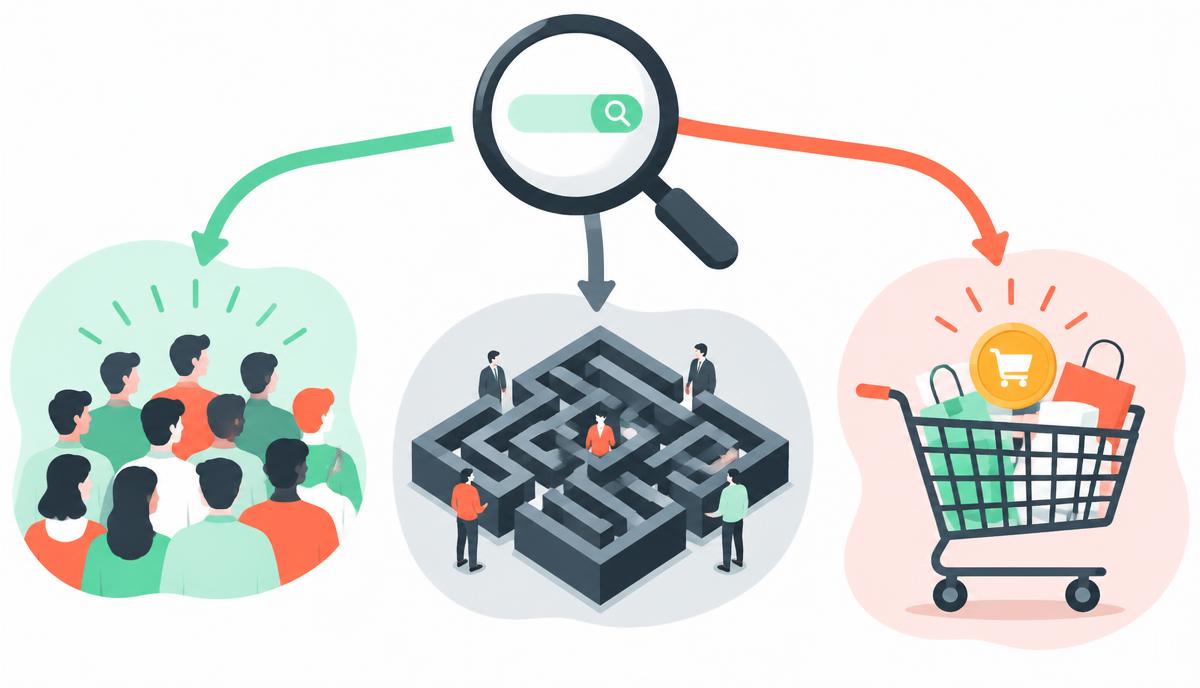
Search volume is an estimate of average monthly queries for a term in a given country, built from clickstream and ad-auction data. It is never exact, and swings of 20-30% between tools are normal because each vendor samples different data sources and smooths seasonal spikes differently. Treat volume as an order-of-magnitude signal, not a precise forecast of traffic.
Keyword difficulty (KD) is a proxy for how hard it will be to rank in the top ten, usually derived from the backlink profiles and domain strength of the current top-ranking pages. Cost-per-click (CPC) comes from Google Ads auction data and reflects commercial intent: high CPC terms tend to convert because advertisers are willing to pay real money for the click.
- Volume = demand, sampled monthly, country-specific
- KD = competitiveness of current SERP, 0-100 scale
- CPC = commercial value signal from paid search auctions
- None of the three predicts your actual ranking chance alone
Why volume alone is a trap
New SEOs chase the biggest volume number on the sheet and end up competing against national brands with a decade of link equity. A term with 40,000 searches a month is worthless to you if realistically you can never crack page one within the business's planning horizon. The better question is not 'how big is the prize' but 'how winnable is the prize, and how fast'.
Balance volume against your site's current authority. A newer or mid-strength site should build a base of lower-volume, lower-KD terms it can actually rank for, then use that traffic and internal linking to earn the right to compete for the harder head terms later.
Reading difficulty scores correctly

A KD score is only ever a snapshot of today's SERP, and it says nothing about content quality gaps you could exploit. Always click through to the current top ten and check three things: do the ranking pages actually answer the query well, are there weak or outdated pages you could outrank, and is there a content format (list, comparison, calculator) that nobody has built yet.
A high KD score with mediocre ranking content is a better opportunity than a low KD score where the top ten is dominated by comprehensive, well-linked resources. Manual SERP inspection should always override a raw KD number.
Doing this inside RankTracker
In RankTracker, run your seed terms through the keyword explorer to pull volume, KD and CPC side by side, then sort by KD ascending within your target volume band to surface the easiest realistic wins first. Export the list and tag each term with a rough intent label before moving to prioritisation.
Use the CPC column as a quick commercial filter when you are choosing between two similarly-sized topics to write about first — the higher CPC term usually signals a page more likely to drive leads or sales rather than just visits.
Why this lesson matters
Misinterpreting search volume, keyword difficulty, and CPC data leads directly to wasted resources and missed opportunities. Imagine a scenario where a marketing team prioritises keywords with high volume but also extreme difficulty, without sufficient domain authority or budget to compete effectively. Their content will invariably languish on page two or three, generating negligible organic traffic, despite significant investment in content creation and optimisation. This isn't just a SEO failure; it's a direct business impact, affecting lead generation, sales, and overall ROI.
Conversely, a precise understanding of these metrics allows for strategic prioritisation. By identifying keywords with sufficient volume for impact, manageable difficulty for current authority, and a sensible CPC (indicating commercial intent or competitive value), an SEO can build a robust, achievable content strategy. This ensures content investments yield tangible ranking improvements and, critically, translate into qualified traffic that supports business objectives. It's the difference between blindly chasing vanity metrics and executing a data-driven plan for sustainable growth.
The Commercial Intent Spectrum & CPC
CPC, or Cost-Per-Click, serves as an invaluable proxy for commercial intent and competitive value within the organic search landscape, beyond its primary PPC application. A high CPC for a keyword signals that advertisers are willing to pay a premium for clicks on that term. This willingness is almost always tied to the potential for direct revenue generation. Therefore, keywords with an elevated CPC often represent a 'money keyword' for businesses, indicating transactional intent or a critical stage in the customer journey.
However, a very low or non-existent CPC isn't automatically a red flag; it might indicate informational queries, emerging niches, or terms with less direct commercial conversion potential. The key is to correlate CPC with volume and difficulty. A high-volume, moderate-difficulty keyword with a significant CPC is a prime target for organic efforts, as it suggests a valuable audience that competitors are already monetising through paid channels. Conversely, if a keyword has a high volume and high CPC but very high difficulty, you might consider it a long-term organic goal while capturing the traffic via PPC in the interim.
- High CPC often equates to higher commercial intent.
- Low CPC can indicate informational queries or less direct monetisation.
- Analyse CPC in tandem with organic ranking potential.
- Leverage high CPC insights for content prioritisation and conversion focus.
Do it now
To solidify your understanding, immediately open RankTracker and apply the principles learned. Focus on a client or internal project you're currently working on, and identify five keywords relevant to their business. Your goal is to not just note the individual metrics but to articulate the strategic implication of their combined values, considering your organisation's current ranking authority and content budget.
- In RankTracker, navigate to the 'Keyword Finder' module.
- Enter a broad seed keyword related to your project.
- Filter the results to show volume, difficulty, and CPC.
- Analyse the top 20 keywords, noting how you'd prioritise 3 of them based on these combined metrics.
Key takeaways
- Treat volume as an order-of-magnitude estimate, not an exact number
- Always eyeball the actual top ten before trusting a KD score
- Use CPC as a proxy for commercial value when prioritising
- Match target difficulty to your site's current authority, not its ambition
Create a project, add keywords page by page, read positions, SERP features, share of voice and competitor gaps.