
Authority and Measurement
Google Analytics 4 the Basics Every SEO Needs
The GA4 concepts an SEO actually needs day to day: events, conversions, the organic traffic segment, and connecting behaviour to rankings.
Want to earn a Rankar Academy certificate?
This lesson is free to read in full, with nothing to sign up for. Join the Academy to track your learning, complete courses and sit the certification assessment.
Join the Academy →Performance model
SEO Foundations · Authority and Measurement
Stage 1
Events, not sessions, are the
Stage 2
Isolating organic search traffic
Stage 3
Conversions and engagement quality

Events, not sessions, are the core unit
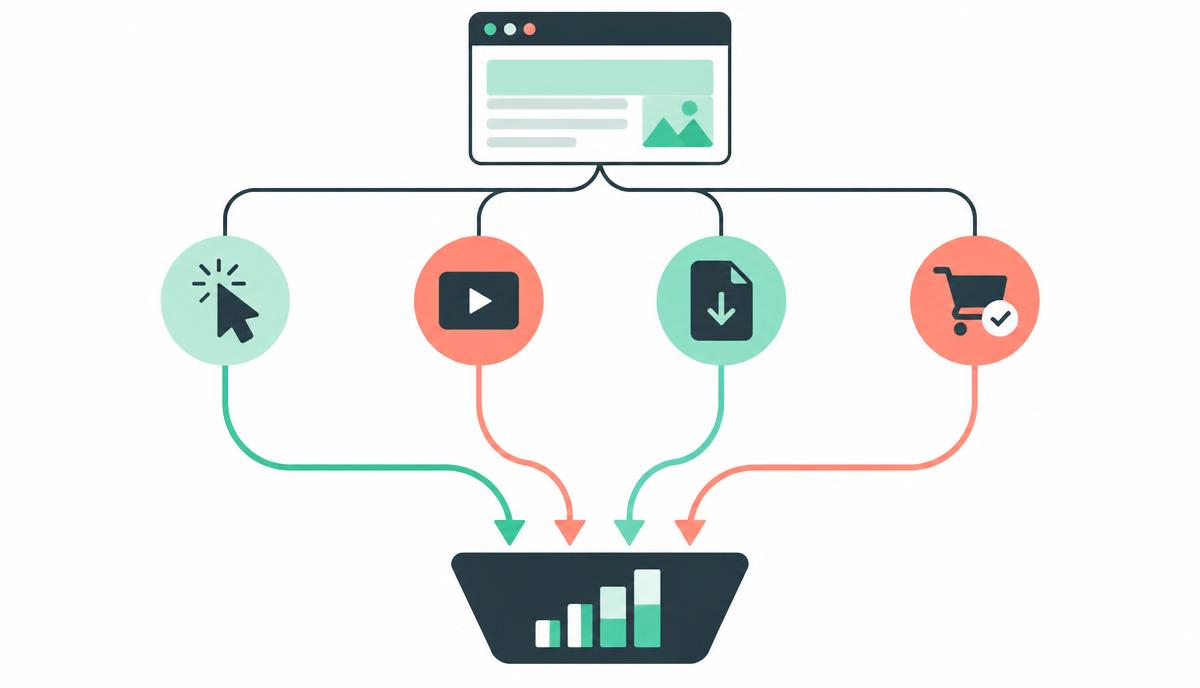
Unlike the older Universal Analytics model built around sessions and pageviews, GA4 is built around events — every interaction, including a pageview itself, is logged as an event with parameters. This is more flexible but takes some adjustment: metrics like 'bounce rate' are calculated differently, and some familiar reports simply don't exist in the same form.
For most SEO purposes, the key reports you'll use live under Reports > Acquisition (traffic sources) and Reports > Engagement (what people did), plus custom Explorations for anything more specific.
Isolating organic search traffic
Under Acquisition > Traffic acquisition, filter by 'Session default channel group' equal to 'Organic Search' to isolate visitors arriving from unpaid search results, then break this down by landing page or country to see where organic performance concentrates. Comparing this against Search Console's click numbers for the same page is a useful sanity check, though the two tools rarely match exactly due to different measurement methodologies and bot filtering.
Set the date comparison feature to compare against the prior period and prior year together — SEO trends are often seasonal, and a month-over-month dip can simply be a normal annual pattern.
Conversions and engagement quality

Define key events (GA4's term for conversions) for the actions that actually matter commercially — a form submission, a purchase, a newsletter signup — so you can judge organic traffic by its business value, not just its volume. A keyword driving fewer visits but more conversions may deserve more content investment than one driving high volume but poor engagement.
Engagement rate, average engagement time and pages per session, viewed by landing page, help distinguish content that's genuinely satisfying visitors from content that's technically ranking but failing to hold attention.
- Filter Acquisition reports by Organic Search channel
- Compare against prior period and prior year to control for seasonality
- Set up key events that reflect real business value
- Review engagement rate and time by landing page, not just sessions
Bringing GA4 data into your SEO workflow
RankAudit's dashboard can pull GA4 conversion and engagement data alongside its own audit findings, so pages are prioritised by business impact rather than traffic volume alone. This combined view is particularly useful when deciding where to invest limited content-refresh time across a large site.
Revisit your key event definitions periodically — as the business evolves, what counts as a meaningful conversion often needs updating too.
Why this lesson matters
Ignoring GA4's nuances means you're operating with blind spots, directly impacting your ability to demonstrate SEO value and make informed strategic decisions. Imagine launching a new content cluster, observing a traffic increase in GA4, but failing to distinguish between genuine, engaged organic visitors and bounces from irrelevant queries. Without properly configured conversions and a clear understanding of user behaviour metrics beyond simple pageviews, you risk celebrating vanity metrics while the business sees no uplift in leads or sales. This disconnect makes justifying SEO investment a constant uphill battle.
Conversely, mastering these GA4 fundamentals transforms your reporting and strategy. Consider a scenario where a competitor launches a new product line. Your team swiftly identifies a drop in organic conversions for related product pages using GA4's conversion data and the organic segment. This prompt insight allows for immediate optimisation – perhaps through content refinement, internal linking adjustments, or even a targeted outreach campaign – to recapture market share. Accurate measurement directly correlates to swift, data-driven reactions, protecting and growing your organic ranking and revenue contributions.
Connecting Content Performance to Business Outcomes via GA4
Effective SEO relies on proving that your ranking improvements translate into tangible business value, not just higher search visibility. GA4's event-driven model facilitates this by allowing you to track granular user interactions that signal intent and engagement, directly linking them to your organic traffic. For instance, knowing that users arriving via specific long-tail keywords on blog content tend to scroll 90% of the page and then click a 'Request a Demo' button is far more powerful than simply reporting a traffic increase to that blog post. This connection validates your content strategy and informs future keyword targeting.
To truly connect content performance to business outcomes, move beyond standard 'sessions' or 'pageviews' as primary success indicators. Instead, focus on conversion events triggered by organic users, such as form submissions, product views followed by 'add to cart', or engagement events like video plays or document downloads that precede a sale. This direct line of sight demonstrates the commercial impact of your SEO efforts, enabling you to prioritise content and technical optimisations that drive the most valuable user journeys. It shifts the conversation from traffic numbers to revenue contribution.
Connect specific organic landing pages to GA4 conversion paths.
Analyse conversion rates for organic segments per content type.
Identify keywords driving high-value GA4 conversion events.
Report on the direct financial impact of organic search via GA4.
Do it now
Immediately set up your GA4 property to effectively track organic user behaviour and conversions, aligning it with your SEO objectives. This initial configuration is foundational for all subsequent analysis and reporting, enabling you to move from guesswork to data-backed decisions. Referencing your existing RankAudit project, identify a core set of 10-15 keywords you are tracking.
- Ensure your GA4 property is correctly installed on your website.
- Verify the 'Google Organic Search' default channel group is active and data is flowing.
- Set up at least three custom conversion events in GA4 relevant to your business goals (e.g., 'form_submit', 'product_purchase', 'download_ebook').
- Cross-reference organic traffic and conversion trends in GA4 with ranking fluctuations for your chosen RankAudit keywords.
Key takeaways
- Understand GA4's event-based model versus the older session-based one
- Filter Acquisition reports to isolate Organic Search traffic
- Define key events that reflect genuine business value
- Compare GA4 engagement data against RankAudit findings to prioritise by impact
Run a site crawl, read the health score, prioritise issues and hand fixes to the team.