
Dashboards and Reporting
SEO Attribution Modelling Give Organic Credit for the Conversions
Last-click attribution systematically undervalues organic search's real contribution, since organic is disproportionately a research-stage, top-of-journey channel rather than a closing one.
Want to earn a Rankar Academy certificate?
This lesson is free to read in full, with nothing to sign up for. Join the Academy to track your learning, complete courses and sit the certification assessment.
Join the Academy →Performance model
Analytics & Optimisation · Dashboards and Reporting
Stage 1
Last-Click Undersells Organic
Stage 2
Attribution Models Worth Using
Stage 3
Practical Attribution Reporting
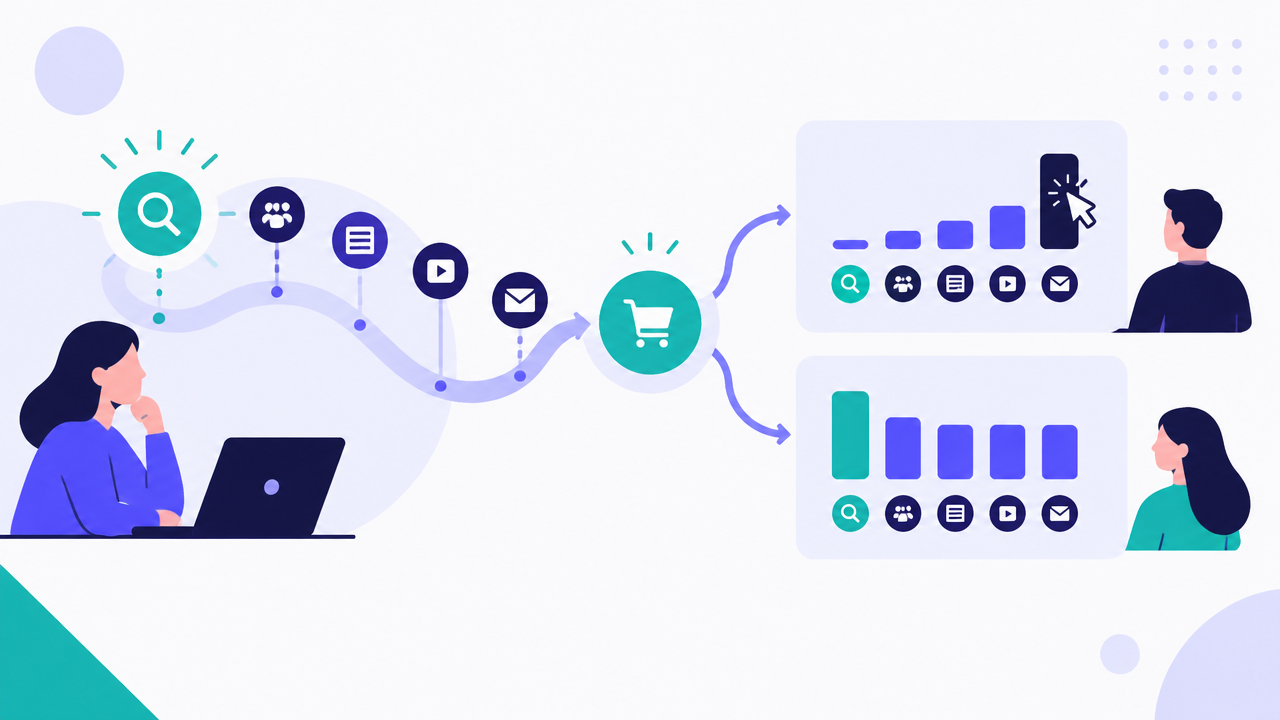
Why Last-Click Undersells Organic
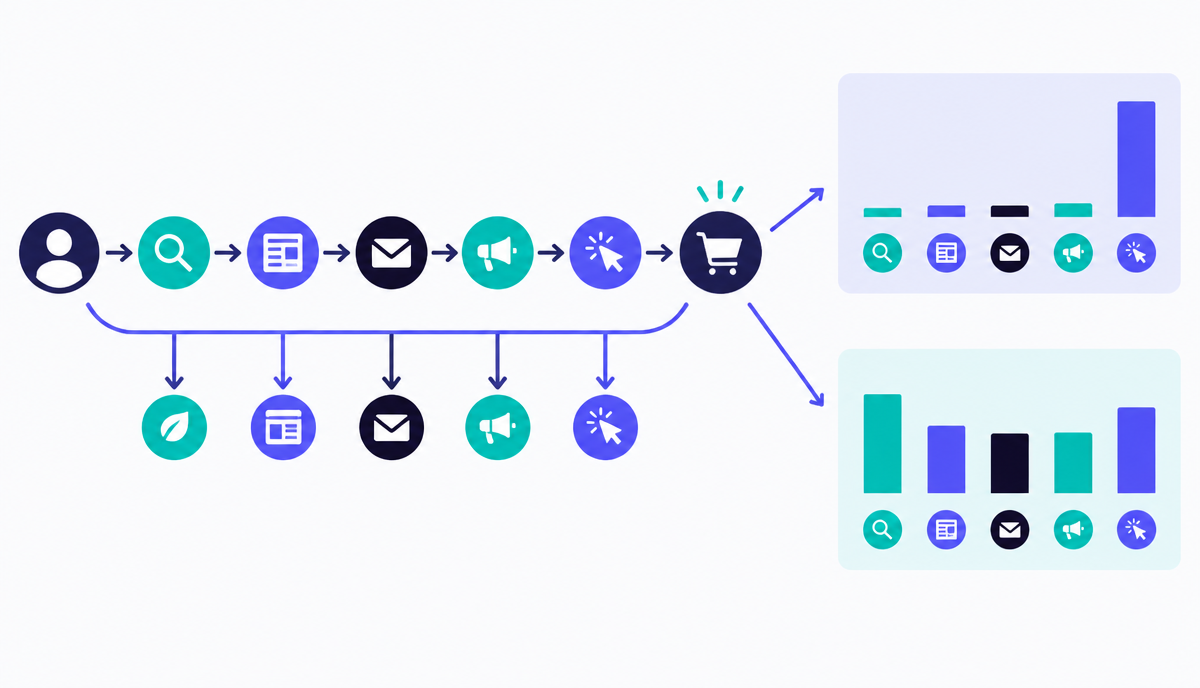
A customer might discover a brand through an organic blog post, return later via a branded paid search ad, and convert on a third visit from direct traffic — last-click attribution credits only direct, erasing organic's role in starting and nurturing that journey entirely. This pattern is especially pronounced for informational and guide content, which structurally cannot close a same-session sale as often as a transactional landing page can.
This undervaluation has real budget consequences: teams that only look at last-click organic revenue routinely under-invest in top-of-funnel content because it appears to 'not convert', when its actual role is initiating journeys that convert through other channels later.
Attribution Models Worth Using
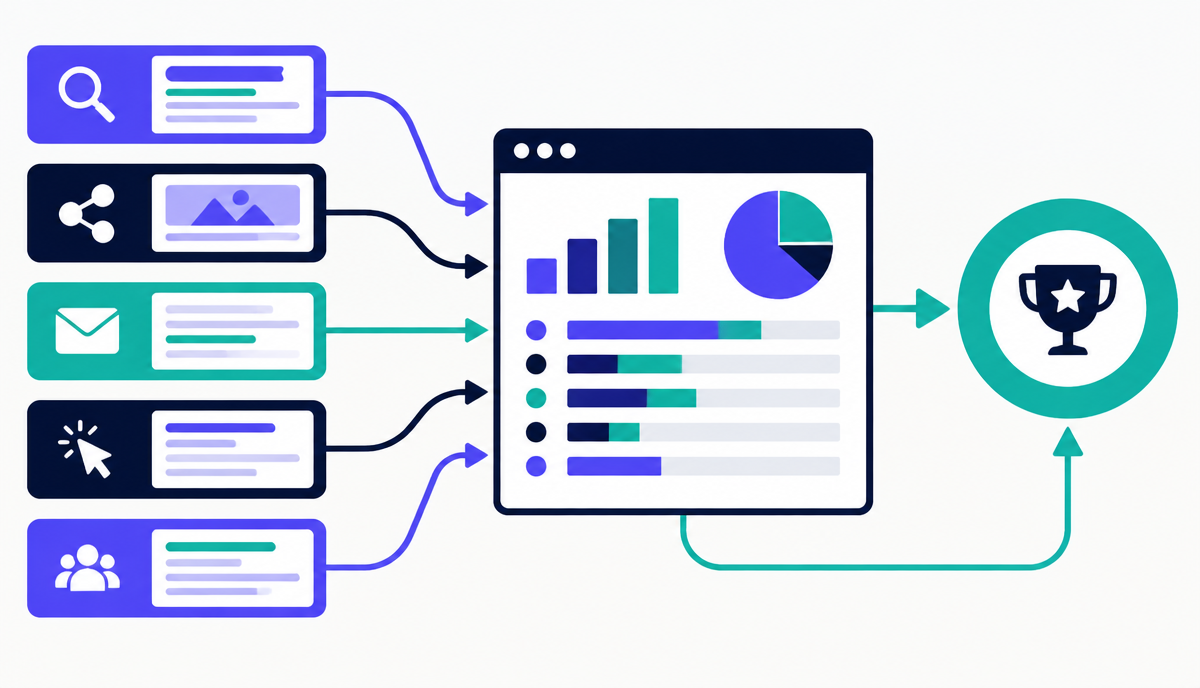
GA4's data-driven attribution model (now the default) uses machine learning across your own conversion paths to assign fractional credit to each touchpoint based on its actual observed contribution, and is generally more accurate than any fixed rule-based model for accounts with enough conversion volume to train on. For lower-volume accounts where data-driven attribution has too little data to be reliable, position-based (40% first touch, 40% last touch, 20% middle) is a reasonable manual approximation that still credits discovery touchpoints.
Whichever model you use, run it as a comparison against last-click rather than a wholesale replacement in your reporting — showing a stakeholder 'last-click says X, data-driven says Y' is a far more persuasive and honest way to demonstrate organic's fuller contribution than switching silently to whichever model produces a bigger number.
Practical Attribution Reporting
Build a comparison view in GA4's Advertising > Attribution reports showing organic search's conversion credit under last-click versus data-driven side by side — the gap between the two numbers is itself a useful metric to report, since it quantifies how much of organic's contribution last-click reporting was hiding.
For guide and blog content specifically, track assisted conversions (conversions where the content appeared anywhere in the path but wasn't the last touch) as a distinct metric even outside a formal attribution model — a simple 'assisted vs last-click' split is often enough to change how a piece of content is valued internally.
- Compare last-click vs data-driven organic conversion credit monthly
- Report the gap between the two models as a standalone metric
- Use assisted conversion counts for top-of-funnel guide/blog content specifically
- Avoid switching attribution models mid-reporting-period without flagging it clearly
Communicating Attribution to Stakeholders
Most stakeholders don't need the mechanics of data-driven attribution explained in depth — they need the headline: 'last-click reporting understates organic's contribution by roughly this much, based on this comparison'. Keep the explanation to one paragraph and let the side-by-side numbers do the persuading.
Why this lesson matters
Misunderstanding organic search's full contribution directly impacts strategic investment. If analytics consistently show SEO delivering lower conversion values than paid channels due to last-click bias, marketing budgets will naturally shift away from organic. This often leads to reduced content creation, slower technical SEO improvements, and deprioritisation of link-building, effectively throttling a crucial long-term growth engine. Businesses then underinvest in the very activities that build sustainable brand visibility and authority, instead chasing higher perceived ROI from channels that often act as closing mechanisms rather than initial discovery points.
Conversely, accurately attributing the value of organic search empowers more informed decision-making. Imagine a scenario where a business attributes 40% of its initial customer discovery to organic SEO, even if the final conversion often occurs via a direct visit or a paid ad retarget. Recognising this early-stage influence justifies increased investment in long-tail content, technical SEO audits, and robust link acquisition campaigns. This leads to a virtuous cycle: better organic visibility drives more top-of-funnel engagement, feeding more qualified leads into the sales pipeline, ultimately bolstering overall revenue and reducing reliance on expensive, short-term paid acquisition.
Modelling for Non-Direct Organic Conversions
A common challenge arises when organic search acts as an influential touchpoint, but the final conversion occurs offline or via a separate system not directly integrated with web analytics. For instance, a user might research a product on your site via Google, then call a sales line or visit a physical store to complete the purchase. Standard attribution models, even data-driven ones, struggle to capture this unless robust CRM integration or unique identifier tracking is implemented. It requires bridging the gap between digital interaction data and real-world outcomes, often through CRM data enrichment or unique discount codes tied to organic campaigns.
To address this, consider augmenting your digital attribution with qualitative data and specific tracking initiatives. This could involve running surveys asking customers how they first discovered your business, or implementing call tracking solutions that record the referrer when a user calls from a webpage they arrived at via organic search. For offline conversions, a unique promotional code displayed only to organic visitors can provide a measurable link. This hybrid approach offers a more holistic view, preventing valuable organic contributions from disappearing into a 'direct' or 'unknown' bucket, which is crucial for holistic ROI assessment.
- Implement call tracking with referrer data capture.
- Utilise post-purchase surveys to identify discovery channels.
- Assign unique offline promo codes to specific organic content.
- Integrate web analytics data with CRM purchase records.
Do it now
Start by reviewing your existing GA4 attribution settings and compare the conversion paths for your top 10 organic landing pages. This immediate action will highlight where organic search frequently appears in multi-touch journeys, rather than just as a last click. Use RankTracker to identify your highest-ranking transactional keywords and then examine their associated user journeys in GA4, noting the sequence of channels involved before conversion.
- Access your Google Analytics 4 (GA4) account.
- Navigate to 'Advertising' > 'Attribution' > 'Conversion paths'.
- Set the primary dimension to 'Default Channel Grouping' and filter paths to include 'Organic Search'.
- Analyse the top conversion paths where 'Organic Search' appears at varying stages, not just the final interaction.
Key takeaways
- Last-click attribution structurally undervalues top-of-funnel organic content
- Use data-driven attribution where volume allows, position-based as a fallback
- Report last-click vs data-driven side by side rather than switching silently
- Track assisted conversions specifically for guide and blog content