
Timing and Structure
Topic Clusters the Architecture That Builds Topical Authorit
Why organising content into pillar-and-cluster groups, tightly interlinked around a shared topic, builds topical authority faster than publishing isolated pages on unrelated keywords.
Want to earn a Rankar Academy certificate?
This lesson is free to read in full, with nothing to sign up for. Join the Academy to track your learning, complete courses and sit the certification assessment.
Join the Academy →Working process
Keyword Research Mastery · Timing and Structure
Stage 1
What a topic cluster actually
Stage 2
clusters outperform isolated pages
Stage 3
Designing a cluster from scratch

What a topic cluster actually is
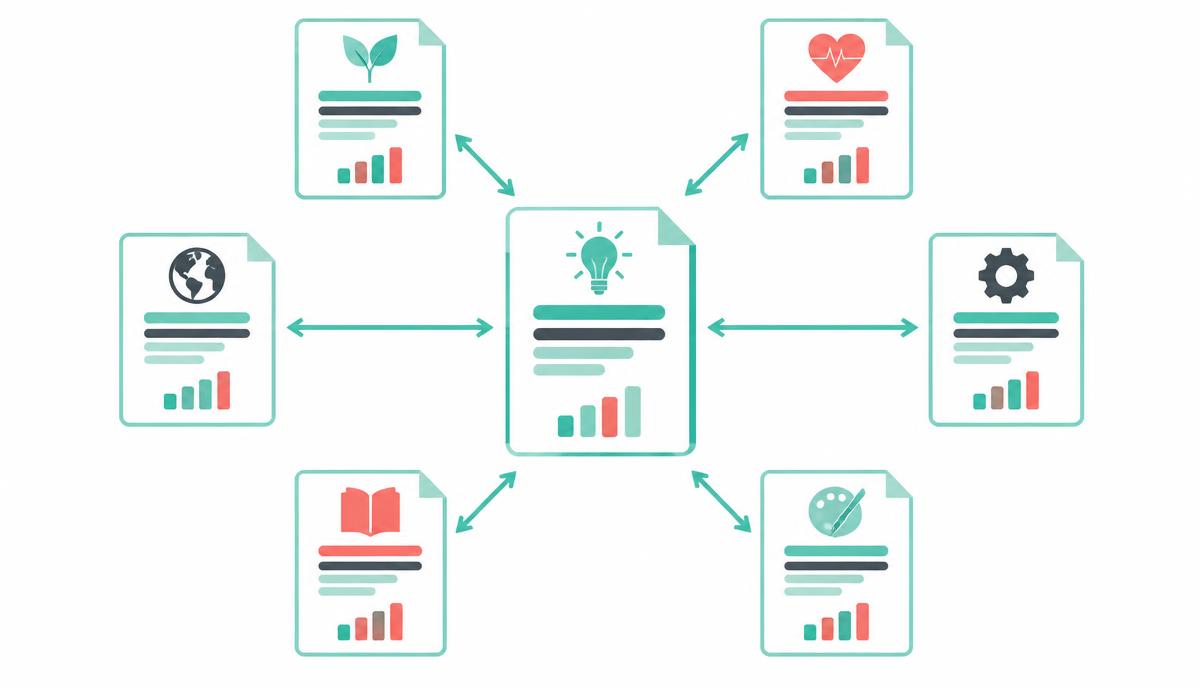
A topic cluster is one broad pillar page covering a subject comprehensively at a high level, surrounded by a set of cluster pages that each go deep on one specific subtopic, all interlinked back to the pillar and to each other where relevant. This structure mirrors how Google's algorithms increasingly evaluate topical depth and coverage across a whole site, not just the strength of a single page.
Why clusters outperform isolated pages
A single standalone article on 'email marketing' competing against sites with fifty interlinked pages on every facet of email marketing is fighting a structural disadvantage, not just a content-quality one. Clusters concentrate internal link equity, keep users on-site longer through logical next-step links, and give Google many strong, specific signals that your site is a genuine authority on the whole topic rather than one lucky page.
Clusters also compound: each new cluster page adds internal links to the pillar, which strengthens the pillar's own ranking ability over time, creating a flywheel that isolated content never gets.
Designing a cluster from scratch
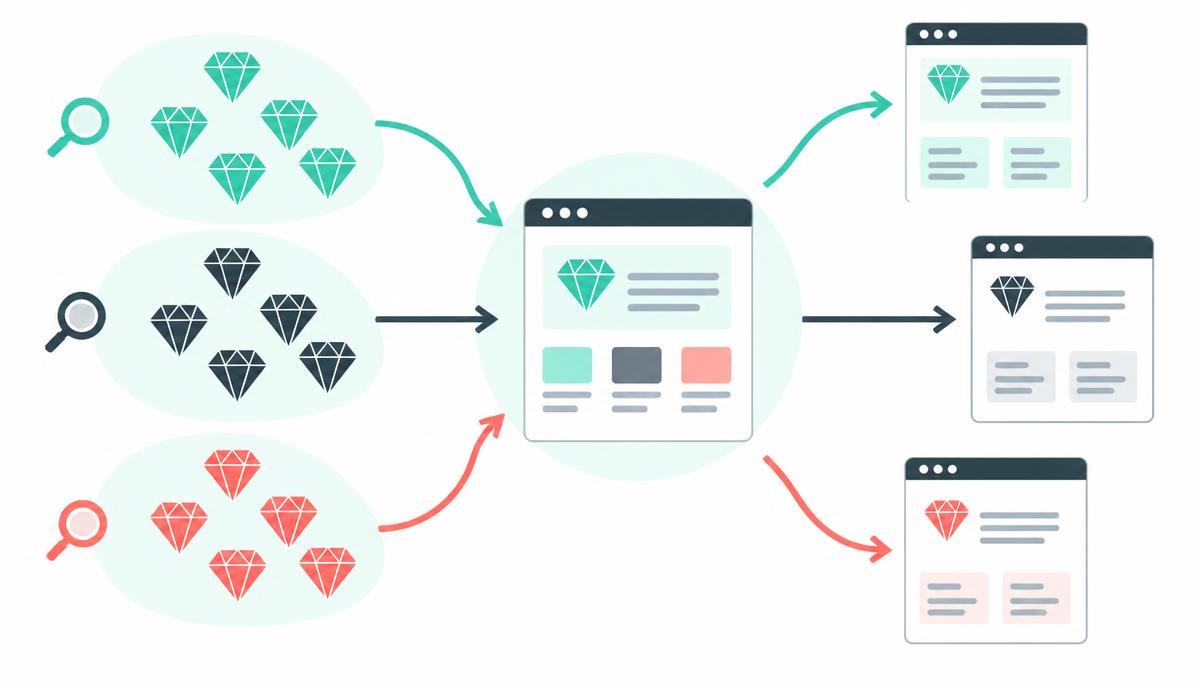
Start from a broad head-term pillar topic, then use keyword research to identify 8-15 genuinely distinct subtopics with their own search demand. Write the pillar to summarise each subtopic in a section with a clear 'read more' link to the dedicated cluster page, and ensure every cluster page links back to the pillar using descriptive, keyword-relevant anchor text rather than generic 'click here' links.
Pillar covers the topic broadly, cluster pages go deep on one facet each
Every cluster page links to the pillar with descriptive anchor text
Cluster pages should also cross-link to closely related siblings
Publish the pillar first or alongside the first 2-3 cluster pages, not last
Building and mapping clusters in RankTracker
Group your master keyword list into clusters using RankTracker's topic grouping view, which clusters semantically related terms automatically based on shared SERP overlap. Assign one pillar keyword and its target URL per cluster, then track the pillar and its cluster pages as a linked group so you can see the compounding ranking effect as new cluster pages go live.
Why this lesson matters
Neglecting topic clusters, or implementing them poorly, means your content strategy is likely operating at a significant disadvantage, hindering your ability to secure prominent search rankings. Without a clear, interlinked content architecture, search engine algorithms struggle to fully grasp your expertise on a given subject. Each new piece of content becomes an isolated effort, requiring substantial individual SEO effort to gain traction, rather than contributing to and benefiting from a larger, authoritative content ecosystem. This inefficiency translates directly into slower organic growth and a greater reliance on paid channels.
Conversely, mastering topic clusters allows you to establish and communicate deep topical authority to search engines far more effectively. This structured approach signals comprehensive coverage, often leading to improved rankings for a broad range of related keywords, not just the exact match terms. For a business, this means higher organic visibility, increased qualified traffic, and ultimately, a more robust pipeline of leads or sales, achieved through a more efficient and sustainable content investment. It transforms your website from a collection of discrete articles into a recognised expert resource within your niche.
Avoiding Cannibalisation within Clusters
A critical challenge in cluster implementation is preventing keyword cannibalisation, where multiple pages within the same cluster inadvertently target the same primary keywords. This confuses search engines, making it unclear which page is most relevant for a given query, often resulting in neither page ranking effectively. Careful keyword mapping at the outset is paramount; each cluster page must have a distinct primary keyword focus that supports the pillar's broader theme without directly competing with other cluster pages or the pillar itself. The internal linking strategy also plays a vital role in reinforcing the intended hierarchy and thematic flow.
To mitigate cannibalisation, ensure your content brief for each cluster page clearly outlines its unique angle and keyword set. Regularly review search console data for unexpected ranking overlaps between cluster pages for identical queries. Should cannibalisation occur, consider content consolidation, canonical tags, or adjusting the internal link anchor text to better differentiate the pages. Proactive planning and continuous monitoring are far more efficient than reactive troubleshooting, safeguarding the integrity and ranking power of your entire topic cluster architecture.
Assign a unique primary keyword to each cluster page.
Ensure pillar page targets broader, more generic terms.
Utilise long-tail variations for supporting cluster content.
Perform regular content audits for keyword overlap.
Do it now
Take the time right now to identify one core service or product your business offers and sketch out a potential topic cluster around it. Think about the central problem it solves (your pillar) and at least four specific sub-topics or questions related to it (your clusters). This foundational exercise will provide a tangible starting point for applying the principles discussed in this lesson. You will then use RankTracker to validate the keyword potential for these identified topics.
Identify a broad topic relevant to your business.
Formulate a potential pillar page title.
List 4-6 supporting sub-topics for cluster pages.
Note down 2-3 preliminary keyword ideas for each sub-topic.
Key takeaways
Structure content as one pillar plus several deep cluster pages
Interlink cluster pages to the pillar with descriptive anchor text
Publish the pillar alongside or before the first cluster pages
Track pillar and cluster rankings together to see the compounding effect
Create a project, add keywords page by page, read positions, SERP features, share of voice and competitor gaps.