
Research and Reporting Automation
Building Your AI Prompt Library Consistency at Scale
Why an unmanaged, ad-hoc approach to prompting breaks down at team scale, and how to build a shared, versioned prompt library instead.
Want to earn a Rankar Academy certificate?
This lesson is free to read in full, with nothing to sign up for. Join the Academy to track your learning, complete courses and sit the certification assessment.
Join the Academy →Performance model
AI & Automation in SEO · Research and Reporting Automation
Stage 1
scaling problem
Stage 2
Structuring the library
Stage 3
Housing it in RankAIO

The scaling problem
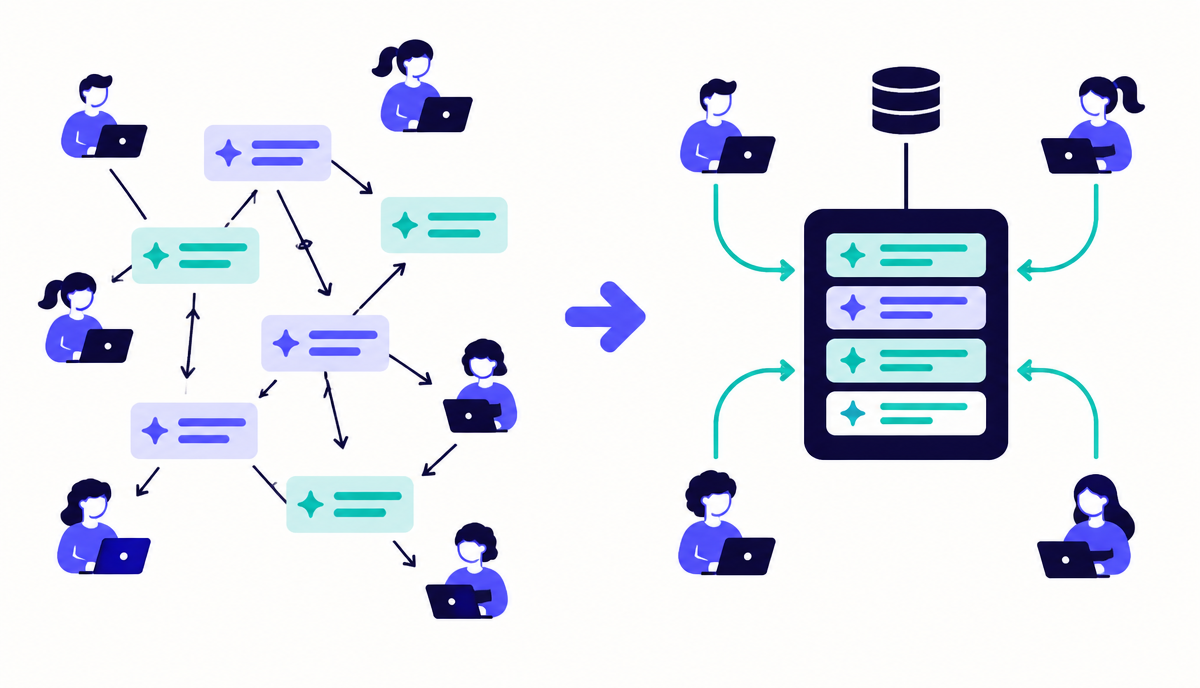
One person's carefully refined prompt lives in their chat history and dies when they leave or forget it. Multiply this across a team of five writers each with their own private prompt habits and you get five different voices, five different quality bars, and no way to improve the process centrally - every lesson learned stays siloed.
A prompt library solves this by treating prompts as versioned assets: each one has an owner, a purpose, an example output, and a changelog of refinements, exactly like you'd manage a code snippet or a brand style guide.
Structuring the library
Organise by content type rather than by team member: meta description generator, blog intro rewriter, FAQ generator from bullet facts, competitor gap analysis, internal link suggester. Each entry should include the full prompt text, a note on when to use it, and a real example input/output pair so new team members can validate they're using it correctly.
Review the library quarterly and retire prompts that consistently need heavy manual correction - a prompt that never produces usable output without extensive editing isn't saving time, it's adding a review step for no benefit.
- One entry per content type, not per person
- Include a real example input and output for each prompt
- Track a changelog when a prompt is refined
- Retire prompts that need heavy correction every time
Housing it in RankAIO
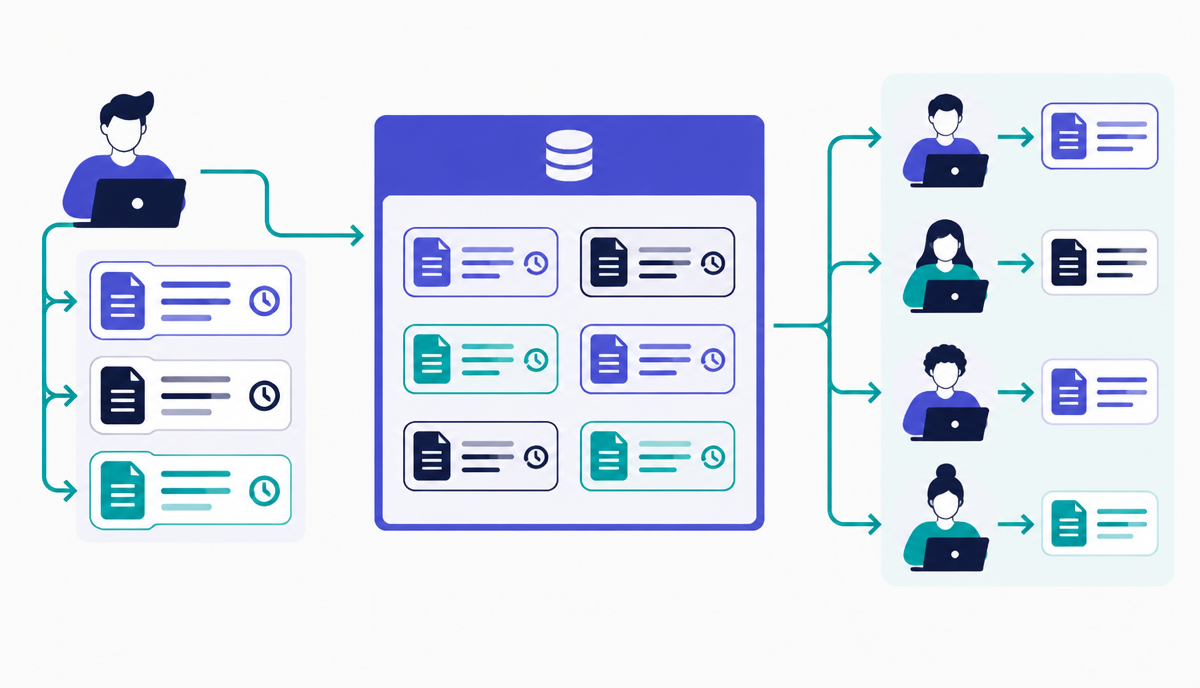
Use RankAIO's prompt library feature to store these centrally with tags by content type and funnel stage, so any writer on the team can pull the tested version rather than reinventing one from memory - this is the single biggest lever for consistent AI-assisted output quality across a growing team.
Why this lesson matters
Without a managed prompt library, your SEO team will encounter significant inconsistencies in AI-generated outputs. Imagine a scenario where three different team members are tasked with generating title tags for similar e-commerce product categories using AI. If each uses their own improvised prompt, the results will vary widely in tone, keyword inclusion, length, and adherence to brand guidelines. This leads to time-consuming manual review and correction, diluting the efficiency gains AI promises. Worse, inconsistent title tags can inadvertently lead to varied CTRs and search engine interpretation across similar pages, negatively impacting ranking stability and site-wide performance.
Conversely, a well-maintained prompt library ensures every team member accesses the same, optimised prompts for specific tasks. This standardisation guarantees output quality, aligns with brand voice, and consistently incorporates best SEO practices regarding keywords and search intent. The business impact is tangible: faster content generation, reduced QA overhead, improved organic visibility due to consistent on-page elements, and a clearer understanding of what AI can reliably deliver. It transforms AI from a novel tool into a predictable, scalable asset for your SEO operations, directly influencing bottom-line metrics.
Prompt Versioning and Deprecation Strategy
As algorithms evolve and best practices shift, so too must your prompts. An effective prompt library requires a clear strategy for versioning and deprecating outdated prompts. Each prompt, once added to the library, should be assigned a version number (e.g., v1.0). When a prompt is updated for better performance, a new version is created (e.g., v1.1 or v2.0), retaining the old one in an archive for auditability. This prevents different team members from inadvertently using an older, less effective prompt, ensuring everyone operates with the most current and successful methodology.
Deprecation involves identifying and formally retiring prompts that are no longer effective or relevant. This is not simply about deleting them; deprecated prompts should be moved to an 'archived' or 'deprecated' section within your library, clearly marked with a deprecation date and reason. This historical record is crucial for diagnosing past AI output issues, understanding the evolution of your prompting strategy, and for training new team members on why certain approaches are no longer used. A clean, current library prevents confusion and maintains operational efficiency.
- Establish a clear versioning convention (e.g., semantic versioning).
- Define criteria for prompt deprecation (e.g., consistently poor output, algorithm changes).
- Implement an archival system for deprecated prompts, noting their retirement date and reason.
- Communicate prompt updates and deprecations actively across the team, perhaps via release notes.
Do it now
Begin consolidating your team's current ad-hoc prompts into a centralised location within RankAIO. This initial collection will serve as the foundation for your structured library. Don't worry about perfection; the goal is to gather existing assets and identify commonalities and variations, setting the stage for future standardisation and optimisation.
- Review existing team documentation or shared drives for any previously used AI prompts.
- Create a new project in RankAIO specifically for 'Prompt Library Development'.
- Add each unique prompt you find as a new entry, noting its original source or creator.
- Begin categorising these initial prompts based on the 'Structuring the library' lesson's guidelines.
Key takeaways
- Treat prompts as versioned, owned assets, not personal notes
- Organise the library by content type, not by team member
- Include real example input/output pairs for every saved prompt
- Store and tag your library in RankAIO for team-wide reuse
Track how AI assistants mention and cite your brand, prompts, citations and visibility trends.